We Use CookiesWe use cookies to enhance the security, performance, functionality and for analytical and promotional activities. By continuing to browse this site you are agreeing to our privacy policy

10 Best Powerline Adapters

From leading brands and best sellers available on the web.
By clicking on a link to a third party's website, log data is shared with that third party.

Our Top Picks

#1

Winner

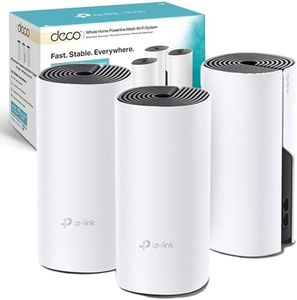
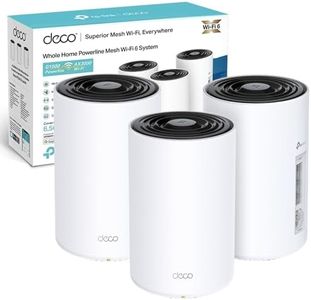
TP-Link Deco PX50(3-pack) AX3000Mbps + G1500 Powerline Mesh WiFi 6 System, Dual-Band WiFi Extender Booster, 3x Fast Gigabit Ports, AI-Driven Mesh, Cover up to 6,500 ft², Connect up to 150 devices

10.0  score

Available on
£303.64
View Product
View more options
Rating
10.0
Chosen by1,245
Speed
Range
Compatibility
Speed
A significant speed increase; achieving twice the speed compared to previous setups.
Range
Complete house coverage with strong Wi-Fi signals, even in the garden, and no dropouts.
Compatibility
No need for ethernet cables throughout the house, as the powerline aspect provides reliable backhaul.

The TP-Link Deco PX50 AX3000 + G1500 Whole Home Powerline Mesh Wi-Fi 6 System is a robust option for those seeking extensive home coverage with reliable speed. It delivers dual-band Wi-Fi with a combined speed of up to 3000 Mbps, ensuring smooth connectivity for activities like streaming and gaming. With a range that can cover up to 6,500 square feet, it's ideal for larger homes. The three Gigabit ports provide ample connectivity options, making it suitable for connecting multiple devices such as laptops, smart TVs, and desktops.

A standout feature is the AI-Driven Mesh technology, which learns and adapts to your network environment, optimizing the Wi-Fi experience uniquely for your home. The HomeShield feature offers added security with parental controls and IoT device protection, making it a safe choice for families.

However, there are some considerations to keep in mind. The G.hn Powerline Network, while offering speeds up to 1500 Mbps, requires the devices to be on the same power circuit to function effectively, which might limit flexibility in certain home setups. Furthermore, while the product includes network pass-through capabilities, it's important to note that obstructions like walls may still affect performance to some extent, though reduced by design.

For those who prioritize easy management, the TP-Link Deco app allows seamless network control from anywhere, enhancing user-friendliness. The three-year warranty is reassuring for long-term use, offering peace of mind regarding durability and support.

Rating
10.0
Chosen by1,245
Speed
Range
Compatibility
Speed
A significant speed increase; achieving twice the speed compared to previous setups.
Range
Complete house coverage with strong Wi-Fi signals, even in the garden, and no dropouts.
Compatibility
No need for ethernet cables throughout the house, as the powerline aspect provides reliable backhaul.
#2

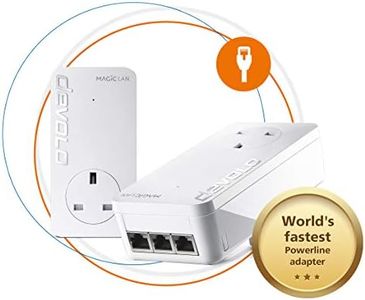
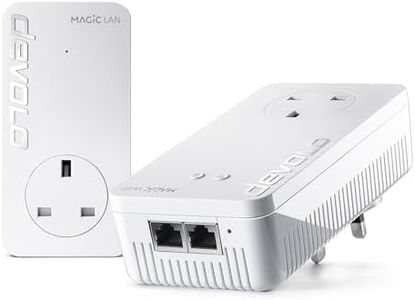
devolo Magic 2–2400 Wi-Fi 6: Whole Home Kit | 4k/ 8k UHD Streaming | Stable Home Working (Up to 2400 Mbps powerline & 1800 Mbps Mesh WiFi 6, G.hn, 5x Gb LAN ports)

8.8  score

Available on
£300.24
View Product
View more options
Rating
8.8
Speed
Range
Number of Ports
Speed
While speeds can vary, the system generally provides a stable connection, often hindered more by the ISP than the adapters themselves.
Range
Despite being on separate circuits, the Devolo system efficiently switches connections without dropping connectivity.
Number of Ports
Devolo adapters offer multiple outputs, ideal for home offices that need several devices connected simultaneously.
Compatibility
The Devolo system works seamlessly for streaming music over mains power, maintaining a strong signal without interruptions.

The Devolo Magic 2–2400 Wi-Fi 6 powerline adapter is a robust option for those needing reliable internet coverage across multiple floors. It boasts impressive speeds with up to 2400 Mbps over powerline and 1800 Mbps via Mesh WiFi 6, ideal for high-definition streaming (4k/8k) and stable home working.

The adapter set includes 3 devices, ensuring internet access through electrical wiring in every room, overcoming obstacles like walls and ceilings. It features 5 Gigabit LAN ports, allowing multiple wired connections, which is advantageous for devices requiring stable connections such as desktops or smart TVs. However, it lacks a pass-through socket, which means it will occupy an electrical outlet without offering an additional plug.

The latest G.hn technology ensures strong performance but is not compatible with older Devolo dLAN series adapters, limiting its use with legacy devices. It supports encryption to secure your network. Compatibility with all Wi-Fi routers and G.hn adapters adds to its versatility. Weighing 1.29 kg, it is relatively lightweight and can be easily installed. Customer reviews are positive, with a 4 out of 5-star rating, though it ranks moderately in sales within its category. In summary, it is well-suited for users needing fast, stable internet throughout a large home, especially those with multiple floors, but may not be ideal for users with older Devolo devices or those requiring pass-through sockets.

Rating
8.8
Speed
Range
Number of Ports
Speed
While speeds can vary, the system generally provides a stable connection, often hindered more by the ISP than the adapters themselves.
Range
Despite being on separate circuits, the Devolo system efficiently switches connections without dropping connectivity.
Number of Ports
Devolo adapters offer multiple outputs, ideal for home offices that need several devices connected simultaneously.
Compatibility
The Devolo system works seamlessly for streaming music over mains power, maintaining a strong signal without interruptions.
#3

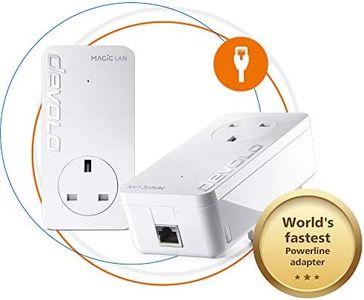
devolo Magic 2-2400 Lan Triple Starter Kit: (Up To 2400 Mbps For Your Powerline Home Network, 3x GB Lan Ports, Ideal For Online Gaming, 4k/8k Uhd Streaming, Stable Home Working)

7.9  score

Available on
£109.54
View Product
View more options
Rating
7.9
Speed
Range
Number of Ports
Speed
Using powerline for mesh networking delivers reliable speeds suitable for demanding tasks like streaming and gaming, outperforming typical WiFi extenders.
Range
The mesh network created through powerline technology provides a stable and seamless connection, efficiently switching devices to the nearest unit without connectivity drops.
Number of Ports
Connecting multiple wired devices without additional switches is convenient thanks to the adapter with three gigabit LAN ports.
Pass-Through Socket
Avoid plugging the units into extension leads or shared sockets with other appliances, as this can degrade signal quality and network performance.
Compatibility
The kit maintains a consistent network SSID and password, allowing seamless roaming around the house without needing to reconnect to different networks.

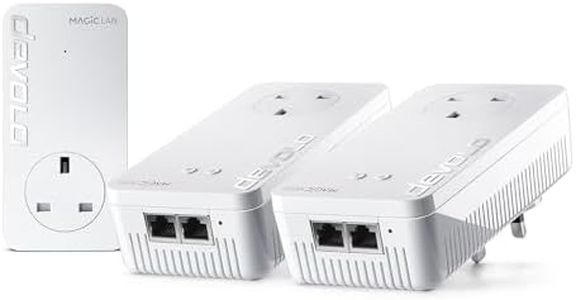
The devolo Magic 2-2400 Lan Triple Starter Kit is a strong choice for users looking to extend their internet connection throughout their home using existing electrical wiring. It offers top-tier speed with up to 2400 Mbps thanks to its modern G.hn technology, making it well-suited for demanding tasks like online gaming and 4K/8K streaming. The kit includes two adapters: one with three gigabit LAN ports and another with one, which means you can connect multiple wired devices without needing extra network switches.

It supports a range of operating systems including Windows, macOS, Linux, Android, and iOS, ensuring broad compatibility with common devices. The range is quite generous, allowing coverage up to 500 meters through power cables, which should be sufficient for most homes. However, it does not support older dLAN series adapters, so mixing with previous models is not possible.

This kit is ideal for users who want fast, stable wired connections in multiple rooms without running new cables, particularly in a home environment with multiple connected devices.

Rating
7.9
Speed
Range
Number of Ports
Speed
Using powerline for mesh networking delivers reliable speeds suitable for demanding tasks like streaming and gaming, outperforming typical WiFi extenders.
Range
The mesh network created through powerline technology provides a stable and seamless connection, efficiently switching devices to the nearest unit without connectivity drops.
Number of Ports
Connecting multiple wired devices without additional switches is convenient thanks to the adapter with three gigabit LAN ports.
Pass-Through Socket
Avoid plugging the units into extension leads or shared sockets with other appliances, as this can degrade signal quality and network performance.
Compatibility
The kit maintains a consistent network SSID and password, allowing seamless roaming around the house without needing to reconnect to different networks.

Buying Guide for the Best Powerline Adapters

Powerline adapters are a great solution for extending your home network using your existing electrical wiring. They are particularly useful in situations where Wi-Fi signals are weak or unreliable, and running Ethernet cables is impractical. When choosing a powerline adapter, it's important to consider several key specifications to ensure you get the best performance and compatibility for your needs.
SpeedSpeed refers to the data transfer rate of the powerline adapter, usually measured in megabits per second (Mbps) or gigabits per second (Gbps). This spec is important because it determines how quickly data can be transmitted between devices. Powerline adapters typically come in speeds ranging from 200 Mbps to 2000 Mbps. For basic internet browsing and streaming, 200-500 Mbps may suffice. For high-definition video streaming, online gaming, or transferring large files, you may want to consider adapters with speeds of 1000 Mbps or higher. Your choice should be guided by your internet speed and the type of activities you plan to do.
RangeRange indicates the maximum distance over which the powerline adapter can effectively transmit data. This is important because it affects how far apart your devices can be while still maintaining a strong connection. Powerline adapters generally work well within a range of 300 meters (about 1000 feet) over electrical wiring. If you have a large home or need to connect devices that are far apart, look for adapters with a longer range. Keep in mind that the actual range can be affected by the quality of your electrical wiring and the presence of electrical noise.
Number of PortsThe number of Ethernet ports on a powerline adapter determines how many devices you can connect directly to it. This is important if you have multiple devices that need a wired connection, such as computers, gaming consoles, or smart TVs. Some adapters come with a single port, while others may have two or more. If you have several devices that need a stable connection, opt for an adapter with multiple ports. Otherwise, a single-port adapter may be sufficient for connecting one primary device.
Pass-Through SocketA pass-through socket is a feature that allows you to plug other electrical devices into the powerline adapter itself, effectively preserving the use of the electrical outlet. This is important if you have limited outlets and need to plug in other devices in the same location. If you have a lot of devices that need to be plugged in, look for powerline adapters with a pass-through socket to avoid losing an outlet.
EncryptionEncryption ensures that the data transmitted over your powerline network is secure from unauthorized access. This is important for protecting your personal information and maintaining network security. Most modern powerline adapters come with built-in encryption, typically using 128-bit AES (Advanced Encryption Standard). When choosing an adapter, make sure it supports encryption to keep your network secure. This is especially crucial if you live in a densely populated area where others might have access to your electrical wiring.
CompatibilityCompatibility refers to how well the powerline adapter works with other devices and standards. This is important to ensure that your adapter can integrate seamlessly with your existing network setup. Look for adapters that comply with the HomePlug AV or AV2 standards, as these are widely supported and offer good performance. Additionally, check if the adapter is compatible with your router and other network devices. If you plan to expand your network in the future, choosing a widely compatible adapter can save you from potential headaches.