We Use CookiesWe use cookies to enhance the security, performance, functionality and for analytical and promotional activities. By continuing to browse this site you are agreeing to our privacy policy

10 Best 3D Printers

From leading brands and best sellers available on the web.
Our Top Picks

#1

Winner

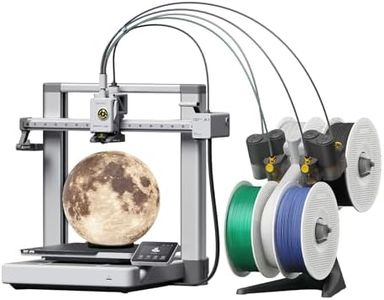
Creality K2 Plus Combo 3D Printer Multi 16 Colors Printing,350 * 350 * 350mm Build Volume,Max 600mm/s Printing Speed, Full-auto Leveling, Next-Gen Direct Drive Extruder, Dual Al Camera, with New CFS

Rating
10.0
Chosen by1,153
Print Technology
Build Volume
Print Speed
Print Technology
Print adhesion is strong without any special bed preparation, and removal from the magnetic bed is straightforward and clean.
Build Volume
The printer is quite large and heavy, needing dedicated space, but remains manageable to move when necessary.
Print Speed
Printing speed is impressively fast compared to older models, handling even large or complex prints much quicker without sacrificing quality.
Ease of Use
The self-leveling feature makes setup almost effortless, enabling excellent print results right from the start with minimal adjustments.
Connectivity
Built-in WiFi and remote monitoring via webcam provide convenient control and oversight of print jobs, although the phone app can be frustrating due to excessive ads.

The Creality K2 Plus Combo is a powerful 3D printer that stands out for its ability to print in up to 16 colors by connecting multiple CFS units, which is great if you want vibrant, multi-colored prints without extra painting. Its build volume is a spacious 350 x 350 x 350 mm, suitable for large projects or multiple smaller items in one go. The printer boasts a very high print speed of up to 600 mm/s, accelerated by step-servo motors, making it faster than many machines in its class, though actual speed depends on the print detail. It supports a wide range of materials including common filaments like PLA and ABS plus tougher ones like carbon fiber blends, thanks to a heated chamber and hardened steel nozzle, which adds versatility for different project needs.

The dual AI cameras provide useful monitoring by spotting print errors early, helping reduce failed prints and material waste. Auto-leveling with dual motorized Z-axes makes setup easier and ensures the first layer is smooth, which is important for print quality and reliability. The printer’s frame is built for stability with a solid metal design, reducing layer shifts for cleaner results. Connectivity and file compatibility are standard, with support for Gcode and 3MF files.

The printer is quite heavy (over 53 kg) and relatively large, so it needs a dedicated space. Also, while high-speed printing is impressive, beginners might need some time to optimize settings for the best results. This makes the Creality K2 Plus Combo well-suited for users seeking large, colorful, and high-quality prints with advanced features, though it may be more than casual hobbyists require.

Rating
10.0
Chosen by1,153
Print Technology
Build Volume
Print Speed
Print Technology
Print adhesion is strong without any special bed preparation, and removal from the magnetic bed is straightforward and clean.
Build Volume
The printer is quite large and heavy, needing dedicated space, but remains manageable to move when necessary.
Print Speed
Printing speed is impressively fast compared to older models, handling even large or complex prints much quicker without sacrificing quality.
Ease of Use
The self-leveling feature makes setup almost effortless, enabling excellent print results right from the start with minimal adjustments.
Connectivity
Built-in WiFi and remote monitoring via webcam provide convenient control and oversight of print jobs, although the phone app can be frustrating due to excessive ads.
#2

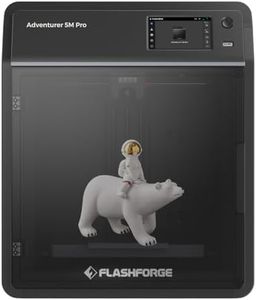
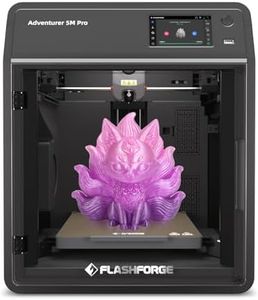
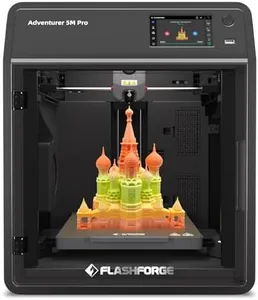
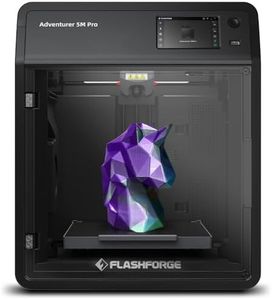
FLASHFORGE AD5M Pro 3D Printer 600mm/s High Speed & Precision, Full-Auto Calibration with 0.4&0.6mm Nozzle Bundle, CoreXY Structure & Auxiliary Chamber Cooling, ≤50 dB Quite Printing Camera Printers

Rating
9.4
Print Technology
Build Volume
Print Speed
Print Technology
The enclosed design helps reduce noise and makes printing with high-temperature materials like ABS easier.
Build Volume
Despite a smaller print bed, the printer manages excellent adhesion and minimal issues with print quality.
Print Speed
The printer delivers fantastic quality and speed, even when running non-stop for extended periods.
Material Compatibility
A notable drawback is the limited compatibility with standard-sized filament spools, which might require an external spool holder.
Ease of Use
Setting up the FLASHFORGE AD5M Pro is impressively quick, allowing users to start printing within minutes of unboxing.
Connectivity
Wi-Fi and Ethernet connectivity are appreciated features, offering flexibility beyond traditional USB or SD card options.

The FLASHFORGE AD5M Pro 3D Printer is designed to cater to both novice and experienced users looking for high-speed, precision printing. A standout feature is its impressive print speed of up to 600mm/s, allowing for rapid prototyping or frequent printing tasks. With a CoreXY structure and auxiliary chamber cooling, it maintains stability and precision during prints. Its layer resolution is fine-tuned by advanced features like the full-auto calibration system, simplifying the often tedious process of manual leveling, making it user-friendly even for beginners.

The printer offers excellent material compatibility, supporting a range of filaments including TPU, ASA, PLA, ABS, PETG, and carbon fiber blends. This versatility makes it suitable for diverse projects, whether personal, educational, or professional. The enclosed design with a dual filtration system ensures healthier indoor air quality, which is a thoughtful feature for home or classroom use, capturing 99% of particulates and VOCs.

Connectivity is another strong suit, with capabilities for remote monitoring and management through the Flash Maker APP, enhancing convenience and flexibility. The noise level is also commendably low, even offering a silent mode, contributing to a more pleasant user experience. Potential buyers should consider the build volume relative to their project needs, as the dimensions might limit very large-scale projects. Additionally, while the high-speed capability is impressive, it may require a learning curve to optimize settings for different materials and nozzle sizes. This printer is geared towards those who value speed, ease of use, and material versatility, making it an excellent choice for creative hobbies, educational purposes, or small-scale business applications.

Rating
9.4
Print Technology
Build Volume
Print Speed
Print Technology
The enclosed design helps reduce noise and makes printing with high-temperature materials like ABS easier.
Build Volume
Despite a smaller print bed, the printer manages excellent adhesion and minimal issues with print quality.
Print Speed
The printer delivers fantastic quality and speed, even when running non-stop for extended periods.
Material Compatibility
A notable drawback is the limited compatibility with standard-sized filament spools, which might require an external spool holder.
Ease of Use
Setting up the FLASHFORGE AD5M Pro is impressively quick, allowing users to start printing within minutes of unboxing.
Connectivity
Wi-Fi and Ethernet connectivity are appreciated features, offering flexibility beyond traditional USB or SD card options.
#3

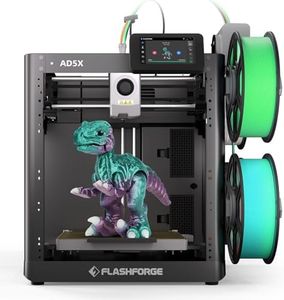
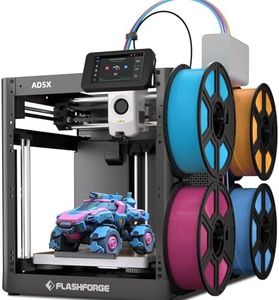
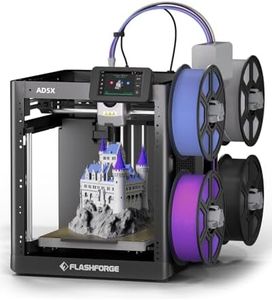
FLASHFORGE AD5X Multi-Material 3D Printer 4-Color Printing, 600mm/s Speed 1-Click Print with DIY IFS Creations, Full-Auto Calibration & Filament Backup, AD5X- Multi-Color Productivity Booster

Rating
8.8
Print Speed
Ease of Use
Connectivity
Print Speed
The printer delivers impressive print speed and excellent quality, producing detailed and accurate models with great first-layer adhesion.
Ease of Use
Auto bed leveling significantly simplifies setup and ensures reliable print starts, enhancing overall print success.
Connectivity
Connectivity options like Wi-Fi and smartphone compatibility make sending prints effortless and convenient.
Material Compatibility
The printer supports a wide range of materials including PLA, ABS, and PETG, providing versatility for various projects.
Build Volume
The compact build volume fits well in small spaces without compromising the ability to create useful parts.

The FLASHFORGE AD5X is a fast and versatile 3D printer designed for users looking to create multi-color and multi-material prints. Its standout feature is the ability to print with up to four colors simultaneously, enabled by the Intelligent Filament System (IFS), which is great for creative projects needing vibrant, detailed results. The printer boasts a high speed of up to 600mm/s, which means quicker prints without sacrificing much accuracy, supported by a sturdy CoreXY structure that reduces vibrations for cleaner layers.

Auto bed leveling makes setup easier and helps ensure your first print layer sticks well, improving print success rates. It supports a broad range of materials such as PLA, TPU, PETG, and composites like PLA-CF, offering flexibility for different project types. The build volume is moderate, fitting comfortably in small workspaces thanks to its compact design and lightweight frame. Connectivity includes smartphone compatibility.

The printer is designed for ease with features like full-auto calibration and filament backup, though beginners might still face a learning curve with multi-material printing and software setup. The AD5X is well suited for hobbyists and small business users who want fast, colorful, and precise 3D prints with a neat, space-saving footprint.

Rating
8.8
Print Speed
Ease of Use
Connectivity
Print Speed
The printer delivers impressive print speed and excellent quality, producing detailed and accurate models with great first-layer adhesion.
Ease of Use
Auto bed leveling significantly simplifies setup and ensures reliable print starts, enhancing overall print success.
Connectivity
Connectivity options like Wi-Fi and smartphone compatibility make sending prints effortless and convenient.
Material Compatibility
The printer supports a wide range of materials including PLA, ABS, and PETG, providing versatility for various projects.
Build Volume
The compact build volume fits well in small spaces without compromising the ability to create useful parts.

Buying Guide for the Best 3D Printers

Choosing the right 3D printer can be a transformative experience, whether you're a hobbyist, educator, or professional. The key is to understand your specific needs and how different features of a 3D printer can meet those needs. Consider what you plan to print, the materials you want to use, and the level of detail you require. This will guide you in selecting a printer that offers the right balance of quality, speed, and ease of use.
Print Technology3D printers use different technologies to create objects, with the most common being Fused Deposition Modeling (FDM) and Stereolithography (SLA). FDM printers are generally more affordable and suitable for larger, less detailed prints, making them ideal for beginners and general use. SLA printers, on the other hand, use a laser to cure resin and are better for high-detail prints, which is great for professionals or those needing intricate designs. Choose based on the level of detail and type of projects you plan to undertake.
Build VolumeBuild volume refers to the maximum size of an object that a 3D printer can produce. It's important because it determines the scale of your projects. Smaller build volumes are sufficient for miniatures or small parts, while larger volumes are necessary for bigger models or multiple parts at once. Consider the size of the objects you want to print and ensure the printer can accommodate them.
Layer ResolutionLayer resolution is the thickness of each layer of material that the printer lays down, measured in microns. A lower number means finer detail and smoother surfaces. For high-detail work, such as jewelry or detailed prototypes, look for a printer with a lower layer resolution. For less detailed work, such as basic prototypes or functional parts, a higher layer resolution is sufficient.
Print SpeedPrint speed indicates how fast a printer can produce an object. Faster speeds can save time, but may compromise on quality. If you need quick prototypes or are working on large projects, a higher print speed is beneficial. However, for detailed work where quality is paramount, a slower speed might be necessary to ensure precision.
Material CompatibilityDifferent 3D printers support different materials, such as PLA, ABS, PETG, or resin. The choice of material affects the strength, flexibility, and finish of the printed object. Consider what properties you need in your prints. For example, PLA is easy to use and biodegradable, making it great for beginners, while ABS is more durable and heat-resistant, suitable for functional parts.
Ease of UseEase of use encompasses the setup process, software interface, and maintenance requirements of a 3D printer. Beginners might prefer a printer with a straightforward setup and user-friendly software. More advanced users might be comfortable with a more complex machine that offers greater control over print settings. Consider your level of expertise and how much time you're willing to invest in learning and maintaining the printer.
ConnectivityConnectivity options, such as USB, SD card, Wi-Fi, or Ethernet, determine how you can send files to the printer. Wi-Fi and Ethernet allow for remote printing and monitoring, which can be convenient for busy environments or when managing multiple printers. If you prefer a simple setup, USB or SD card might be sufficient. Choose based on how you plan to integrate the printer into your workflow.