We Use CookiesWe use cookies to enhance the security, performance, functionality and for analytical and promotional activities. By continuing to browse this site you are agreeing to our privacy policy

10 Best Wireless Printers

From leading brands and best sellers available on the web.
By clicking on a link to a third party's website, log data is shared with that third party.

Our Top Picks

#1

Winner

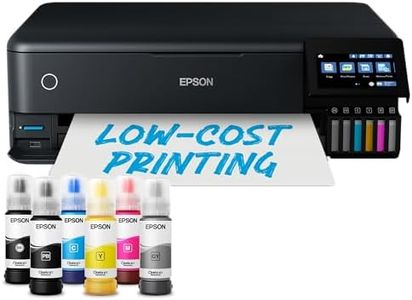
Epson EcoTank ET-8550 A3+ Wi-Fi Ink Tank Photo Printer

Rating
10.0
Chosen by1,280
Print Quality
Additional Features
Print Technology
Print Quality
This printer excels at producing professional-level photo prints with stunning color accuracy and sharp detail, especially when paired with quality photo paper.
Additional Features
Refillable ink tanks are a major advantage, allowing for highly economical printing with minimal mess and easy monitoring of ink levels.
Print Technology
Prints on full A4 or A3 photo paper consume more ink than the smallest sizes, so the actual print count per refill is lower than advertised but still far exceeds typical photo printers.
Paper Handling
The printer handles a variety of paper types and sizes well, including thick and fine art papers, with convenient rear feed options to reduce paper bending.
Connectivity Options
Setup requires attention to detail, including removing all transport tapes and following a specific priming process, but once running the wireless and USB connections work reliably.
Print Speed
Print speed is reasonable for photo quality output, though not designed for rapid bulk document printing.

The Epson EcoTank ET-8550 is a solid choice if you want a wireless inkjet printer that excels in photo printing up to A3+ size. Its 6-colour ink system, including a grey ink for detailed black and white photos, delivers sharp and vibrant results that are great for hobbyists or anyone needing high-quality images. It uses refillable ink tanks rather than cartridges, which can save money and reduce waste, with the ability to print around 2,300 photos on one refill—ideal if you print frequently. Connectivity is versatile with Wi-Fi, Wi-Fi Direct, and Ethernet, plus you can print directly from USB drives or SD cards via the touchscreen, making it easy to use without a computer.

The printer handles a variety of papers well, including specialty and thick craft papers up to 1.3 mm thick, and can print borderless photos. It even supports printing on CDs/DVDs. However, its print speed is moderate—about 16 pages per minute in black and white and 12 in color—so it’s not the fastest option if you need lots of quick prints. The maximum print resolution is good for photos but not as sharp as some professional models. Paper capacity is on the lower side with a 50-sheet input tray, so frequent refills may be needed for heavy use. The printer includes features like auto-duplex (double-sided printing) and works well with an app to control printing from your smartphone.

If your focus is on quality photo prints and you want a wireless printer that’s economical to run, the ET-8550 offers a great balance of performance and convenience. It’s less suited if speed or very large volume printing are your top priorities.

Rating
10.0
Chosen by1,280
Print Quality
Additional Features
Print Technology
Print Quality
This printer excels at producing professional-level photo prints with stunning color accuracy and sharp detail, especially when paired with quality photo paper.
Additional Features
Refillable ink tanks are a major advantage, allowing for highly economical printing with minimal mess and easy monitoring of ink levels.
Print Technology
Prints on full A4 or A3 photo paper consume more ink than the smallest sizes, so the actual print count per refill is lower than advertised but still far exceeds typical photo printers.
Paper Handling
The printer handles a variety of paper types and sizes well, including thick and fine art papers, with convenient rear feed options to reduce paper bending.
Connectivity Options
Setup requires attention to detail, including removing all transport tapes and following a specific priming process, but once running the wireless and USB connections work reliably.
Print Speed
Print speed is reasonable for photo quality output, though not designed for rapid bulk document printing.
#2

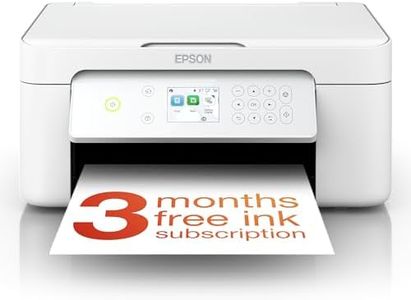
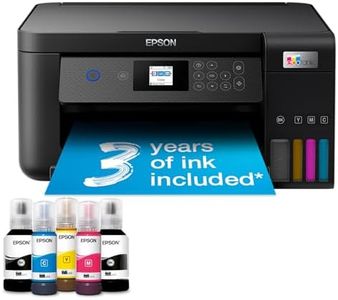
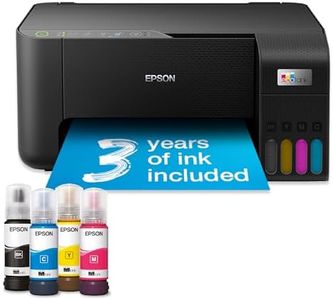
EcoTank ET-2860 A4 Multifunction Wi-Fi Ink Tank Printer, With Up To 3 Years Of Ink Included

Rating
9.4
Print Technology
Connectivity Options
Print Quality
Print Technology
Refilling the large ink tanks is a clean, easy, and mess-free process, designed to prevent overfilling and significantly reduces running costs compared to traditional cartridges.
Connectivity Options
The printer integrates seamlessly with various devices and operating systems, including Linux, offering straightforward network printing without the need for special drivers.
Print Quality
Print quality rivals that of laser printers for text, with sharp, clear outputs and very good photo printing for a general-purpose device.
Additional Features
The Epson Smart Panel app enhances printer management, though initial setup can be challenging, sometimes requiring multiple attempts and firmware updates before full functionality is achieved.

The Epson EcoTank ET-2860 is a solid choice if you're looking for an affordable, wireless all-in-one printer with low running costs. It uses inkjet technology with large refillable ink tanks, which come with up to 3 years’ worth of ink included—this means you could save up to 90% on printing costs compared to regular cartridge printers. This model supports Wi-Fi and Wi-Fi Direct, allowing you to print easily from phones, tablets, and laptops without cables.

The print quality is good, especially for color documents and photos, thanks to a high resolution of up to 5760 x 1440 dpi and borderless printing for photos up to 10x15 cm. Print speeds are modest, with up to 33 pages per minute in black and white and 15 ppm in color, suitable for everyday home or small office tasks but not for heavy or fast-paced printing needs. Paper handling is straightforward, with a 100-sheet rear tray, but it doesn’t support automatic double-sided printing, which might be a downside if you print a lot. Additional features like copying and scanning add value, and the Epson Smart Panel app makes managing the printer from your phone simple. The compact design fits easily in typical home setups.

If you need super-fast printing or advanced paper handling, this might not be the best fit. However, for anyone prioritizing low cost per page, ease of refilling ink, and wireless convenience, this printer offers a dependable and user-friendly option.

Rating
9.4
Print Technology
Connectivity Options
Print Quality
Print Technology
Refilling the large ink tanks is a clean, easy, and mess-free process, designed to prevent overfilling and significantly reduces running costs compared to traditional cartridges.
Connectivity Options
The printer integrates seamlessly with various devices and operating systems, including Linux, offering straightforward network printing without the need for special drivers.
Print Quality
Print quality rivals that of laser printers for text, with sharp, clear outputs and very good photo printing for a general-purpose device.
Additional Features
The Epson Smart Panel app enhances printer management, though initial setup can be challenging, sometimes requiring multiple attempts and firmware updates before full functionality is achieved.
#3

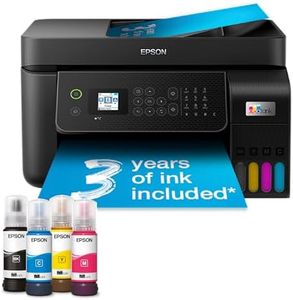
Epson EcoTank ET-4800 A4 Multifunction Wi-Fi Ink Tank Printer, With Up To 3 Years Of Ink Included

Rating
8.8
Print Technology
Connectivity Options
Print Speed
Print Technology
The refillable ink system is a game changer, offering significant savings and environmental benefits compared to traditional cartridges.
Connectivity Options
Setting up the printer is straightforward with the user-friendly app, making the initial process seamless and guided.
Print Speed
While print speeds are not the fastest, the overall performance is satisfactory for home and small office use.
Print Quality
Print quality is impressive, suitable for office documents, and the ink lasts remarkably long, reducing the need for frequent replacements.

The Epson EcoTank ET-4800 is a wireless printer designed for home and small office use, notable for its economical ink tank system. This feature drastically reduces printing costs, as it includes up to three years' worth of ink, which can print up to 4,500 pages in black and 7,500 in color. This makes it ideal for users who print frequently and seek to minimize cartridge purchases. Its connectivity options, including Wi-Fi, Wi-Fi Direct, and Ethernet, allow for seamless integration with various devices such as smartphones, tablets, and laptops, providing flexibility for different setups. The printer also supports the Epson Smart Panel app, enabling control from smart devices, which adds to its convenience.

In terms of performance, the EcoTank ET-4800 offers decent print speeds of up to 10 pages per minute, though not the fastest in its category. The print quality is commendable with a resolution of 5760 x 1440 dpi, suitable for both text and photos. The inclusion of a 30-page automatic document feeder, dual-sided printing, and a 100-sheet rear paper tray supports a range of tasks and improves efficiency. However, its paper handling maximum size is limited to A4, which may not cater to all professional needs.

The printer's compact design is a plus for space-conscious users, although it's somewhat heavier at 5 kilograms. The LCD screen is small at 3.7cm, which might be challenging for detailed menu navigation. While it features heat-free technology, contributing to reduced energy consumption, it's worth noting that the maximum print speed in color is slower, at 15 pages per minute. The EcoTank ET-4800 is a solid choice for those prioritizing long-term cost savings and flexibility, but may not be optimal for environments requiring high-speed or larger format printing.

Rating
8.8
Print Technology
Connectivity Options
Print Speed
Print Technology
The refillable ink system is a game changer, offering significant savings and environmental benefits compared to traditional cartridges.
Connectivity Options
Setting up the printer is straightforward with the user-friendly app, making the initial process seamless and guided.
Print Speed
While print speeds are not the fastest, the overall performance is satisfactory for home and small office use.
Print Quality
Print quality is impressive, suitable for office documents, and the ink lasts remarkably long, reducing the need for frequent replacements.

Buying Guide for the Best Wireless Printers

Choosing the right wireless printer can greatly enhance your printing experience, offering convenience and flexibility. When selecting a wireless printer, consider your specific needs such as the type of documents you print, the frequency of use, and the space available in your home or office. Understanding the key specifications will help you make an informed decision that aligns with your requirements.
Print TechnologyPrint technology refers to the method a printer uses to produce text and images on paper. The most common types are inkjet and laser. Inkjet printers are versatile and can handle a variety of media types, making them ideal for printing photos and color documents. Laser printers, on the other hand, are known for their speed and efficiency, especially for high-volume black-and-white printing. If you print a lot of color documents or photos, an inkjet printer might be the best choice. For mostly text-based documents, a laser printer could be more suitable.
Connectivity OptionsConnectivity options determine how you can connect your devices to the printer. Wireless printers typically offer Wi-Fi, Bluetooth, and sometimes NFC connectivity. Wi-Fi allows you to print from any device connected to the same network, while Bluetooth is useful for direct connections from nearby devices. NFC can simplify the process by enabling quick connections with compatible devices. Consider your environment and how you prefer to connect your devices. If you have multiple devices or a shared network, Wi-Fi is essential. For quick, direct printing from a smartphone, Bluetooth or NFC might be beneficial.
Print SpeedPrint speed is measured in pages per minute (PPM) and indicates how fast a printer can produce documents. This is important if you need to print large volumes quickly. Printers with higher PPM are more efficient for busy environments. Print speed can vary significantly between models, with laser printers generally offering faster speeds than inkjet printers. If you frequently print large documents or need quick turnaround times, look for a printer with a higher PPM. For occasional printing, speed may be less critical.
Print QualityPrint quality refers to the clarity and detail of the printed output, often measured in dots per inch (DPI). Higher DPI values generally mean better print quality, which is crucial for printing detailed images or professional documents. Inkjet printers typically offer higher DPI for color and photo printing, while laser printers provide sharp text quality. If your primary need is high-quality photo printing, focus on printers with higher DPI. For text documents, a lower DPI may suffice, especially with laser printers.
Paper HandlingPaper handling capabilities include the types and sizes of paper a printer can accommodate, as well as the capacity of its paper tray. This is important for ensuring the printer can handle your specific printing needs, such as envelopes, labels, or larger paper sizes. Consider the types of documents you print regularly. If you need to print on various media types or sizes, look for a printer with versatile paper handling options. For standard document printing, a basic paper tray capacity may be sufficient.
Additional FeaturesAdditional features can enhance the functionality of a wireless printer, such as duplex printing, scanning, copying, and faxing capabilities. Duplex printing allows for automatic double-sided printing, saving paper and time. Multifunction printers offer scanning, copying, and faxing, which can be useful for office environments. Consider what additional tasks you might need your printer to perform. If you require more than just printing, a multifunction printer with these features could be a valuable addition.