We Use CookiesWe use cookies to enhance the security, performance, functionality and for analytical and promotional activities. By continuing to browse this site you are agreeing to our privacy policy

10 Best Resin Printers

From leading brands and best sellers available on the web.
By clicking on a link to a third party's website, log data is shared with that third party.

Our Top Picks

#1

Winner

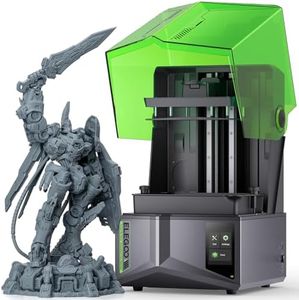
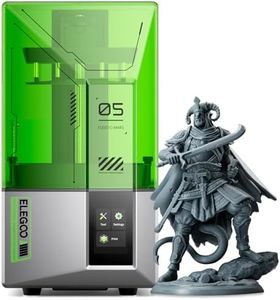
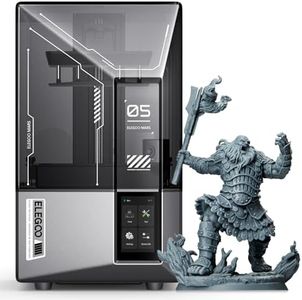
ELEGOO Saturn 4 Ultra 16K Resin 3D Printer with Flip-up Lid, Smart Tank Heating at 30 °C, 150mm/h High Speed Printing, Large Printing Size of 211.68 × 118.37× 220 mm³

10.0  score

Available on
£415
View Product
View more options
Rating
10.0
Chosen by1,417
Print Resolution
Build Volume
Resin Compatibility
Print Resolution
Print resolution and detail rival those of premium commercial miniatures, delivering incredibly lifelike and smooth results.
Build Volume
A large resin vat capacity of about one liter allows uninterrupted printing without topping up mid-job.
Resin Compatibility
Heating the resin to 30°C keeps it fluid and improves flow, reducing the need for external heaters and ensuring consistent print quality even in colder environments.
Ease of Use
The self-leveling build plate works flawlessly, eliminating the usual hassles of manual leveling or concerns about plate flatness.

The ELEGOO Saturn 4 Ultra 16K is a resin 3D printer that stands out for its remarkably high print resolution, capturing fine details and smooth surface finishes ideal for users wanting precise, lifelike models. Its large build volume of about 212 x 118 x 220 mm offers plenty of space to print bigger or multiple items in one go, which is great for hobbyists or small businesses. A clever feature is the smart tank heating that keeps the resin at a steady 30 °C, improving resin flow and layer adhesion. This results in fewer printing defects like bubbles or separation between layers, helping users achieve reliable and high-quality prints.

The printer also includes a new AI camera with lighting for real-time print monitoring and alerts, making it easier to keep track of progress and catch problems early. Auto-leveling ensures the build platform is perfectly aligned without manual effort, simplifying setup especially for beginners. Its fast printing speed of up to 150 mm/h means projects finish quicker, though faster speeds can sometimes affect the finest details. The tilt release system helps remove prints easily, reducing risk of damage during post-processing. It supports various resins, but handling resin still requires safety precautions and some cleanup after printing.

Weighing 16.1 kg and built from durable materials, it’s stable but less portable. Included accessories cover most user needs right out of the box. While the printer is user-friendly with helpful features, some users might find the smart heating and camera a bit complex initially. This model is well suited for those looking for high-detail prints with a large workspace, combining advanced technology with straightforward operation.

Rating
10.0
Chosen by1,417
Print Resolution
Build Volume
Resin Compatibility
Print Resolution
Print resolution and detail rival those of premium commercial miniatures, delivering incredibly lifelike and smooth results.
Build Volume
A large resin vat capacity of about one liter allows uninterrupted printing without topping up mid-job.
Resin Compatibility
Heating the resin to 30°C keeps it fluid and improves flow, reducing the need for external heaters and ensuring consistent print quality even in colder environments.
Ease of Use
The self-leveling build plate works flawlessly, eliminating the usual hassles of manual leveling or concerns about plate flatness.
#2

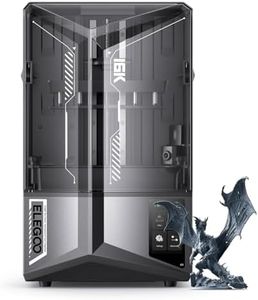
ELEGOO Saturn 4 Ultra Resin 3D Printer, 10-Inch 12K Mono LCD, 150mm/h High Speed Printing, Smart Automatic Leveling, Intelligent Detection, WiFi-Transfer, Large Printing Size 218.88x122.88x220 mm³

Rating
9.7
Print Resolution
Build Volume
Resin Compatibility
Print Resolution
Print quality is excellent, with straightforward setup and leveling of the build plate.
Build Volume
The print size is impressive, allowing for larger prints and multiple items in one go.
Resin Compatibility
Using standard Elegoo 8k grey resin yields great results, with potential for even more convenience with water-washable resins.
Ease of Use
The printer is simple and easy to set up, even for those transitioning from FDM to resin printing.

The ELEGOO Saturn 4 Ultra resin printer stands out with its impressive print resolution offered by a 12K Mono LCD, ensuring highly detailed prints. Its large build volume of 218.88 x 122.88 x 220 mm³ gives you ample space to create sizable models or multiple smaller items in one go. The printer supports a high speed of 150mm per hour, thanks to its Rapid Tilt Release technology, which is a significant time-saver for users who need quick turnaround times on projects.

Ease of use is a highlight with features like one-touch automatic leveling, which eliminates the need for manual adjustments and saves you time. Moreover, the included smart printing prompts and AI camera intelligent detection enhance reliability by preventing potential issues and providing real-time monitoring of your projects. However, the post-processing requirements typical of resin printers remain, requiring additional cleaning and curing steps. The printer's resin compatibility isn't detailed, so users should ensure their chosen resins are compatible. While the convenience of WIFI file transfer is a plus, the speed of 6-10Mbps may not be as fast as some users expect, depending on the size of the files being transferred.

For those prioritizing safety, the printer includes foreign object detection and temperature alarms, offering peace of mind during operation. The ability to resume printing after a power outage is another practical feature that prevents waste. The printer's build, made with durable materials like aluminum and metal, suggests longevity. In essence, the ELEGOO Saturn 4 Ultra is well-suited for hobbyists and small business users seeking a moderate to high-level resin 3D printer that emphasizes speed and ease of use while providing detailed, high-resolution prints. Nonetheless, considering the ongoing maintenance and resin handling, it's best for users prepared to handle these aspects of resin printing.

Rating
9.7
Print Resolution
Build Volume
Resin Compatibility
Print Resolution
Print quality is excellent, with straightforward setup and leveling of the build plate.
Build Volume
The print size is impressive, allowing for larger prints and multiple items in one go.
Resin Compatibility
Using standard Elegoo 8k grey resin yields great results, with potential for even more convenience with water-washable resins.
Ease of Use
The printer is simple and easy to set up, even for those transitioning from FDM to resin printing.
#3

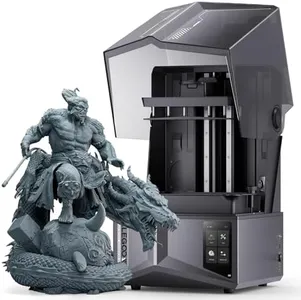
ELEGOO Saturn 4 Resin 3D Printer, 10” 12K HD Mono LCD, Smart Automatic Leveling, AI Print Monitoring, Large Printing Volume 218x122x220 mm³

9.4  score

Available on
£309.99
View Product
View more options
Rating
9.4
Print Resolution
Build Volume
Ease of Use
Print Resolution
The print quality is excellent, comparable to commercial print agencies, but at a fraction of the cost.
Build Volume
The print size is impressive, allowing for larger prints and multiple items in a single run.
Ease of Use
Setup and leveling of the build plate are straightforward, ensuring a smooth start for beginners.

The ELEGOO Saturn 4 Resin 3D Printer stands out with its impressive 12K HD mono LCD which offers excellent detail reproduction with a resolution of 11520x5120 pixels. This results in highly detailed and intricate models, making it a great choice for users seeking high precision. The large build volume of 218x122x220 mm³ provides ample space for sizeable projects, catering to a variety of printing needs.

The COB light source combined with a Fresnel collimating lens ensures precise and consistent printing results, crucial for achieving outstanding clarity and detail in prints. Additionally, the printer supports a wide range of resins, adding to its versatility. Ease of use is significantly enhanced by features like smart automatic leveling and AI print monitoring, making setup and operation straightforward even for beginners. The intelligent failure detection system adds a layer of safety and reliability to the printing process.

However, at 13.5 kilograms, the printer is relatively heavy and might be cumbersome to move around. Post-processing requirements are typical of resin printers, which means users will need to allocate time for cleaning and curing prints. The inclusion of useful accessories like a USB air purifier, scraper, funnel, gloves, and a tool kit in the package is a nice touch. For those looking for a reliable and user-friendly resin 3D printer with excellent print quality, the ELEGOO Saturn 4 is a strong contender.

Rating
9.4
Print Resolution
Build Volume
Ease of Use
Print Resolution
The print quality is excellent, comparable to commercial print agencies, but at a fraction of the cost.
Build Volume
The print size is impressive, allowing for larger prints and multiple items in a single run.
Ease of Use
Setup and leveling of the build plate are straightforward, ensuring a smooth start for beginners.

Buying Guide for the Best Resin Printers

Resin printers, also known as SLA (Stereolithography) or DLP (Digital Light Processing) printers, are popular for their ability to produce high-resolution and detailed prints. They use a liquid resin that is cured by a light source to create solid objects layer by layer. When choosing a resin printer, it's important to consider several key specifications that will affect the quality, speed, and ease of use of your prints. Understanding these specs will help you select a printer that best fits your needs, whether you're a hobbyist, a professional, or somewhere in between.
Print ResolutionPrint resolution in resin printers refers to the level of detail the printer can achieve, typically measured in microns. This is important because it determines how smooth and detailed the final print will be. Lower micron values mean higher resolution and more detail. For example, a resolution of 25 microns will produce finer details than 100 microns. If you're printing highly detailed models, such as miniatures or intricate prototypes, you'll want a printer with a lower micron resolution. For less detailed prints, a higher micron resolution may suffice.
Build VolumeBuild volume is the maximum size of an object that a resin printer can produce, measured in dimensions like width, depth, and height. This is crucial if you plan to print larger objects or multiple smaller objects at once. Resin printers typically have smaller build volumes compared to FDM printers. If your projects require larger prints, look for a printer with a larger build volume. However, if you're focused on small, detailed items, a smaller build volume might be adequate and could offer better resolution.
Light SourceThe light source in a resin printer is responsible for curing the resin. Common types include laser (SLA) and LCD or DLP projectors. The type of light source affects the speed and precision of the printing process. Laser-based printers often provide higher precision, while DLP and LCD printers can be faster and more cost-effective. If precision is your priority, consider a laser-based printer. For faster prints and potentially lower costs, an LCD or DLP printer might be more suitable.
Resin CompatibilityResin compatibility refers to the types of resin a printer can use. Different resins offer various properties, such as flexibility, strength, or color. It's important to choose a printer that supports the resin types you need for your projects. If you require specific material properties, ensure the printer is compatible with those resins. For general use, a printer that supports a wide range of resins can offer more versatility.
Ease of UseEase of use encompasses the user interface, software, and overall setup process of the resin printer. This is important for both beginners and experienced users, as a more intuitive printer can save time and reduce frustration. Look for features like a user-friendly touchscreen, reliable software, and straightforward setup instructions. If you're new to resin printing, prioritize a printer known for its ease of use. Experienced users might focus more on advanced features, but ease of use can still enhance the overall experience.
Post-Processing RequirementsPost-processing requirements refer to the steps needed after printing to finalize the object, such as cleaning, curing, and removing supports. This is important because it affects the time and effort required to complete a print. Some printers come with additional equipment or features to simplify post-processing. If you prefer a streamlined workflow, consider a printer with integrated post-processing solutions. If you're comfortable with more manual steps, you might prioritize other features over post-processing convenience.