We Use CookiesWe use cookies to enhance the security, performance, functionality and for analytical and promotional activities. By continuing to browse this site you are agreeing to our privacy policy

10 Best Photo Printers

From leading brands and best sellers available on the web.
Our Top Picks

#1

Winner

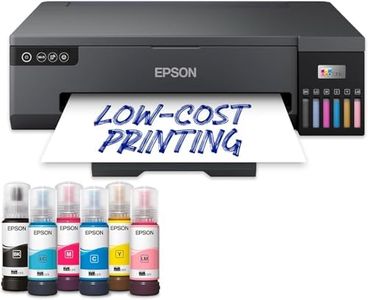
Epson EcoTank ET-8550 A3+ Wi-Fi Ink Tank Photo Printer

Rating
10.0
Chosen by1,122
Print Resolution
Ink Types
Color Accuracy
Print Resolution
The print quality is so high that it's comparable to professional prints, eliminating the need for ordering prints online.
Ink Types
The ink tanks are incredibly easy to fill, with no spillage and simple, mess-free refills, making it a cost-effective solution for high-volume printing.
Color Accuracy
Photos printed with this device are stunning, with colors that pop, especially when using high-quality photo paper.
Printer Size and Portability
Despite its large size, the setup process is straightforward, although it requires ample space to accommodate the printer and its trays.

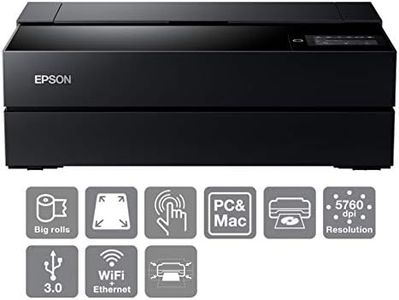
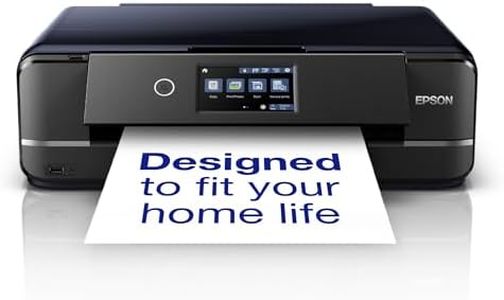
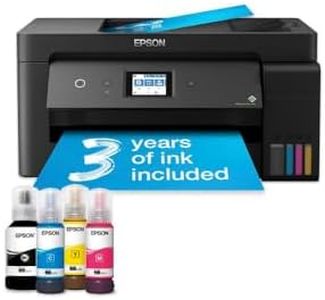
The Epson EcoTank ET-8550 A3+ Wi-Fi Ink Tank Photo Printer stands out with its impressive 6-colour ink system, including a new grey ink for excellent black and white photo prints, and pigment black ink for sharp text. This makes it ideal for both photo enthusiasts and those needing high-quality document prints. The high print resolution ensures detailed and vibrant images, while the ability to print up to A3+ size adds versatility for larger projects.

The printer's ink tank system is very economical, allowing for up to 2,300 high-quality photo prints per set of ink bottles, which also makes refilling easy and mess-free. This is a significant advantage for users who print frequently, helping to save on long-term costs. Connectivity options are robust, with Wi-Fi, Wi-Fi Direct, and Ethernet, making integration into home or office setups simple. The addition of SD card and USB flash drive compatibility, along with a 10.9cm color touchscreen, offers modern flexibility and ease of use.

The printer also supports artistic media, including craft papers and card, as well as direct printing on CDs/DVDs, catering to creative users. However, at 11.1 kilograms, the printer is relatively heavy and may not be easily portable. Additionally, while the monochrome print speed is reasonable at 16 ppm and color at 12 ppm, it may not be the fastest option for heavy-duty office environments. The Epson Smart Panel app provides convenient control from smart devices, enhancing user experience. Despite being energy-efficient with Micro Piezo heat-free technology, the printer's larger size (37.9D x 52.3W x 16.9H cm) might be a consideration for those with limited space. With a solid customer rating of 4.2 out of 5 stars, this printer is well-regarded for its print quality and versatility, making it a strong contender for photo printing needs.

Rating
10.0
Chosen by1,122
Print Resolution
Ink Types
Color Accuracy
Print Resolution
The print quality is so high that it's comparable to professional prints, eliminating the need for ordering prints online.
Ink Types
The ink tanks are incredibly easy to fill, with no spillage and simple, mess-free refills, making it a cost-effective solution for high-volume printing.
Color Accuracy
Photos printed with this device are stunning, with colors that pop, especially when using high-quality photo paper.
Printer Size and Portability
Despite its large size, the setup process is straightforward, although it requires ample space to accommodate the printer and its trays.
#2

KODAK Dock Plus 4PASS Instant Photo Printer (10 x 15 cm) + Initial 10 Sheets + 40 Sheets Bundle

Rating
10.0
Ink Types
Print Speed
Connectivity Options
Ink Types
Prints come out with vibrant colors and a protective sealant layer, allowing immediate handling without smudging.
Print Speed
Print speed is about one photo per minute, which suits casual printing but not large batches.
Connectivity Options
Bluetooth connection can be unreliable, sometimes requiring the printer to be restarted to establish a link.
Color Accuracy
Prints come out with vibrant colors and a protective sealant layer, allowing immediate handling without smudging.
Printer Size and Portability
The compact size makes it easy to handle, and it includes useful extras like multiple cartridges and a long power cable.

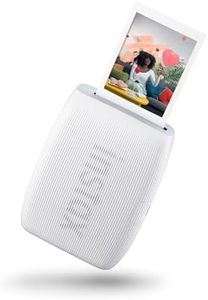
The Kodak Dock Plus 4PASS Instant Photo Printer is designed mainly for users who want quick, easy printing of photos directly from their smartphones or tablets. It supports both Apple and Android devices with Bluetooth connectivity, making it convenient for mobile use. The printer uses 4PASS dye sublimation technology, which produces good quality photos with vibrant colours and a protective laminate layer, helping resist fingerprints and water damage. The print resolution reaches up to 1200 x 1200 dpi, which is decent for 4x6-inch photo prints.

Print speed is quite slow at about 1 page per minute, so it’s best suited for printing a few photos at a time rather than large batches. It handles glossy photo paper sized 4x6 inches, with an input capacity of up to 80 sheets, which is handy if you plan to print regularly. The device also gives the option to print photos with or without borders, and you can add dates or decorative elements through the Kodak Photo Printer app, which adds a fun, personal touch.

In terms of portability, the printer is fairly compact and lightweight (2 kg), but it is corded electric, so it needs a power source during use. The inclusion of a phone charging dock is a nice bonus for phone users. The printer is budget-friendly, especially when buying photo paper bundles, making it an affordable home photo printer. While it supports wireless connection, it lacks other connectivity options like Wi-Fi or USB direct printing, which might limit flexibility for some users. Colour accuracy is good but not professional-grade, so it’s best for casual photo printing rather than high-end photography needs. The Kodak Dock Plus is a user-friendly, affordable photo printer ideal for printing snapshots from your phone with decent quality and some creative app features, but it’s not suited for high-volume or professional photo printing.

Rating
10.0
Ink Types
Print Speed
Connectivity Options
Ink Types
Prints come out with vibrant colors and a protective sealant layer, allowing immediate handling without smudging.
Print Speed
Print speed is about one photo per minute, which suits casual printing but not large batches.
Connectivity Options
Bluetooth connection can be unreliable, sometimes requiring the printer to be restarted to establish a link.
Color Accuracy
Prints come out with vibrant colors and a protective sealant layer, allowing immediate handling without smudging.
Printer Size and Portability
The compact size makes it easy to handle, and it includes useful extras like multiple cartridges and a long power cable.
#3

Epson EcoTank ET-8500 A4 Wi-Fi Ink Tank Photo Printer

Rating
9.1
Print Resolution
Ink Types
Connectivity Options
Print Resolution
Print quality is stunning, rivaling professional prints, making it unnecessary to outsource photo printing.
Ink Types
Refillable ink tanks are a game-changer, offering easy refills and significant cost savings compared to traditional cartridges.
Connectivity Options
Setup can be a bit time-consuming, requiring careful removal of transport tapes, but the ease of connection via Wi-Fi, USB, and Ethernet is appreciated.
Paper Handling
Despite the large size, this printer is versatile, handling everything from A3 photos to standard text documents efficiently.
Color Accuracy
The Epson EcoTank ET-8500 delivers excellent photos with vibrant colors and impressive color rendition, especially when using Photoshop's color profiles.
Printer Size and Portability
While the printer is large and requires ample space, its ability to handle various paper types, including fine art papers, is a plus.

The Epson EcoTank ET-8500 is a solid choice for those looking to produce high-quality photos at home without breaking the bank on ink costs. Its 6-color ink system, including a new grey ink, allows for vibrant colors and sharp black and white prints, making it ideal for photo enthusiasts who require excellent color accuracy. With a print resolution of 1200 dpi, the details in photographs are captured well, which is a key consideration for any photo printer.

One of the prominent strengths of the ET-8500 is its cost efficiency. The use of refillable ink tanks rather than traditional cartridges means you can print up to 2,300 photos with a single set of ink bottles, reducing recurring expenses and environmental impact. Additionally, the printer supports a wide variety of media types, from standard A4 to more creative options like CDs/DVDs and thick craft paper, offering great versatility for creative projects.

Connectivity won’t be an issue as this printer offers Wi-Fi, Wi-Fi Direct, and Ethernet options, along with the capability to print directly from SD cards and USB drives. This flexibility is complemented by the Epson Smart Panel App, which allows printing and troubleshooting straight from a smartphone, enhancing user convenience.

Potential buyers should be aware that while the print speed is reasonable at 12 ppm for color, it's not the fastest available, so it may not be ideal for high-volume printing needs. Also, being an all-in-one unit and weighing 11.1 kg, it’s not particularly portable or compact, making it better suited for a stationary setup in a home office or studio.

In essence, the Epson EcoTank ET-8500 offers excellent photo quality and cost-effective printing, making it a strong contender for home users and hobbyists focused on high-quality image reproduction, though its speed and size may not suit everyone.

Rating
9.1
Print Resolution
Ink Types
Connectivity Options
Print Resolution
Print quality is stunning, rivaling professional prints, making it unnecessary to outsource photo printing.
Ink Types
Refillable ink tanks are a game-changer, offering easy refills and significant cost savings compared to traditional cartridges.
Connectivity Options
Setup can be a bit time-consuming, requiring careful removal of transport tapes, but the ease of connection via Wi-Fi, USB, and Ethernet is appreciated.
Paper Handling
Despite the large size, this printer is versatile, handling everything from A3 photos to standard text documents efficiently.
Color Accuracy
The Epson EcoTank ET-8500 delivers excellent photos with vibrant colors and impressive color rendition, especially when using Photoshop's color profiles.
Printer Size and Portability
While the printer is large and requires ample space, its ability to handle various paper types, including fine art papers, is a plus.

Buying Guide for the Best Photo Printers

Choosing the right photo printer can be a daunting task, but with a little guidance, you can find the perfect model to suit your needs. Photo printers are designed to produce high-quality prints of your favorite images, and there are several key specifications to consider when making your decision. Understanding these specs will help you navigate the options and select a printer that meets your requirements for quality, speed, and functionality.
Print ResolutionPrint resolution refers to the number of dots per inch (DPI) that a printer can produce. Higher DPI means more detail and sharper images. For photo printing, a resolution of at least 1200 DPI is recommended for good quality prints, while professional-grade printers may offer resolutions of 2400 DPI or higher. If you plan to print large photos or need the highest possible quality, opt for a printer with a higher DPI.
Ink TypesPhoto printers typically use either dye-based or pigment-based inks. Dye-based inks are known for their vibrant colors and are ideal for printing photos with rich, saturated hues. Pigment-based inks, on the other hand, offer better longevity and resistance to fading, making them suitable for archival prints. Consider what is more important for your needs: vibrant colors or long-lasting prints.
Print SpeedPrint speed is measured in pages per minute (PPM) and indicates how quickly a printer can produce prints. While speed may not be the most critical factor for occasional photo printing, it becomes important if you need to print large volumes of photos quickly. Entry-level photo printers may have slower speeds, while higher-end models can print more rapidly. Assess your printing frequency and volume to determine the appropriate print speed for your needs.
Connectivity OptionsModern photo printers offer various connectivity options, including USB, Wi-Fi, Bluetooth, and memory card slots. Wi-Fi and Bluetooth enable wireless printing from your computer, smartphone, or tablet, providing convenience and flexibility. Memory card slots allow direct printing from your camera's memory card. Choose a printer with connectivity options that match your preferred method of transferring and printing photos.
Paper HandlingPaper handling refers to the types and sizes of paper a printer can accommodate. Photo printers should support various photo paper sizes, such as 4x6, 5x7, and 8x10 inches, as well as different paper types like glossy, matte, and specialty papers. If you plan to print a variety of photo sizes or use different paper types, ensure the printer can handle your specific requirements.
Color AccuracyColor accuracy is crucial for photo printing, as it determines how true-to-life your prints will appear. Some printers offer advanced color management features and use multiple ink cartridges to achieve a wider color gamut. If precise color reproduction is important for your photography, look for printers with high color accuracy and advanced color management capabilities.
Printer Size and PortabilityThe size and portability of a photo printer can be important depending on your space and mobility needs. Compact printers are ideal for small spaces or for taking on the go, while larger printers may offer more features and better print quality. Consider where you will be using the printer and whether portability is a factor in your decision.