We Use CookiesWe use cookies to enhance the security, performance, functionality and for analytical and promotional activities. By continuing to browse this site you are agreeing to our privacy policy

10 Best Photo Editing Monitors

From leading brands and best sellers available on the web.
By clicking on a link to a third party's website, log data is shared with that third party.

Our Top Picks

#1

Winner

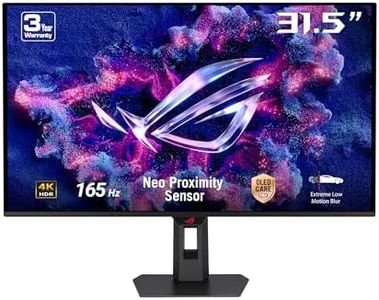
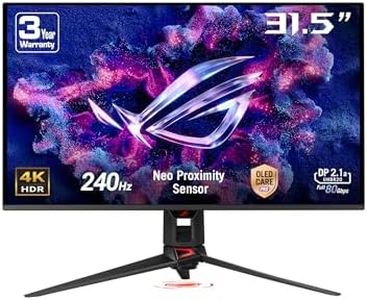
ASUS ROG Swift OLED PG32UCDMR gaming monitor ― 32-inch, 4K (3840 x 2160) QD-OLED panel, 240Hz, 0.03 ms (GTG), G-SYNC compatible, Proximity Sensor, 99% DCI-P3, 90 W Type-C, DisplayPort 2.1a, HDMI 2.1

10.0  score

Available on
£744.3
View Product
View more options
Rating
10.0
Chosen by1,277
Panel Type
Screen Size
Connectivity
Panel Type
OLED technology provides stunning contrast and vibrant colors that outperform all other display technologies currently available.
Screen Size
The 32-inch size is ideal for immersive gaming and detailed photo editing, but users should consider desk space and mounting due to its weight and dimensions.
Connectivity
Connectivity options including DisplayPort 2.1, HDMI 2.1, and a 90W USB-C port make it easy to connect multiple devices and peripherals seamlessly.
Resolution
The dual-mode refresh rate allows switching between ultra-high refresh rates for gaming and 4K resolution for cinematic experiences, adding versatility for different use cases.

The ASUS ROG Swift OLED PG32UCDMR is a 32-inch 4K UHD monitor featuring a QD-OLED panel, which offers excellent color accuracy with 99% DCI-P3 coverage and true 10-bit color depth. This makes it very suitable for photo editing, where vibrant and precise colors are important. Its resolution (3840 x 2160) ensures sharp and detailed images, ideal for working with high-resolution photos. The monitor supports DisplayHDR 400 True Black, enhancing contrast and delivering deeper blacks, which benefits photo and video editing by revealing subtle details.

One of its unique strengths is the OLED technology, giving it an infinite contrast ratio and very fast response times (0.03 ms). While this is great for gaming, for photo editing it helps with smooth gradients and accurate color transitions. The ASUS OLED Care Pro features, like the Neo Proximity Sensor, help protect the screen from burn-in, a typical concern for OLED displays during long editing sessions. Connectivity is solid, with DisplayPort 2.1, two HDMI 2.1 ports, a 90W USB-C port for power and data, plus a USB hub, making it easy to connect multiple devices and peripherals.

The VESA DisplayHDR 400 rating is on the lower side for HDR monitors, which means HDR effects won’t be as pronounced compared to higher HDR certifications. Also, the matte screen surface helps reduce reflections but might slightly affect the sharpness of colors compared to glossy screens preferred by some photo editors. The monitor is relatively heavy at 8.8 kg, so consider desk space and mounting options. This ASUS monitor blends high resolution, excellent color accuracy, and OLED contrast, making it a strong candidate for photographers and video editors who want precise colors and deep blacks, especially if they also enjoy gaming. However, if HDR is a high priority or you prefer a brighter screen, you might want to explore monitors with higher HDR ratings.

Rating
10.0
Chosen by1,277
Panel Type
Screen Size
Connectivity
Panel Type
OLED technology provides stunning contrast and vibrant colors that outperform all other display technologies currently available.
Screen Size
The 32-inch size is ideal for immersive gaming and detailed photo editing, but users should consider desk space and mounting due to its weight and dimensions.
Connectivity
Connectivity options including DisplayPort 2.1, HDMI 2.1, and a 90W USB-C port make it easy to connect multiple devices and peripherals seamlessly.
Resolution
The dual-mode refresh rate allows switching between ultra-high refresh rates for gaming and 4K resolution for cinematic experiences, adding versatility for different use cases.
#2

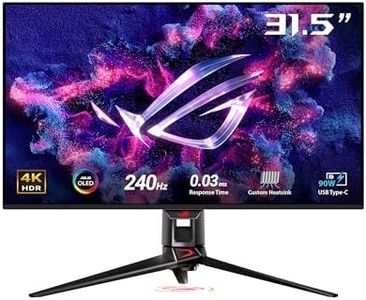
ASUS ROG Swift OLED PG32UCDMZ gaming monitor, 32-inch 4K QD-OLED panel, 240Hz, 0.03ms (GTG), G-SYNC compatible, custom heatsink, graphene film, 99 percent DCI-P3, True 10-bit, 90W Type-C, HDMI 2.1

8.8  score

Available on
£610.23
View Product
View more options
Rating
8.8
Color Accuracy
Panel Type
Connectivity
Color Accuracy
The color accuracy and sharpness deliver an unparalleled visual experience, setting a new standard beyond traditional LCD monitors.
Panel Type
The OLED panel’s deep blacks and vivid colors truly elevate image quality, making it ideal for tasks requiring precise color representation.
Connectivity
Connectivity options including DisplayPort, HDMI, and USB-C support a versatile setup for modern editing environments.

The ASUS ROG Swift OLED PG32UCDMZ is a 32-inch 4K monitor featuring a Quantum Dot OLED (QD-OLED) panel, which provides outstanding color accuracy and deep blacks thanks to its true 10-bit color and Delta E below 2. This makes it well suited for photo and video editing where precise color representation is important. It covers 99% of the DCI-P3 color gamut, offering vivid and lifelike images. The matte screen surface helps reduce reflections, which is useful in bright workspaces.

Its 3840 x 2160 resolution gives plenty of screen space and sharp detail, essential for editing high-resolution images. While it boasts a very high 240 Hz refresh rate and ultra-fast 0.03 ms response time, these features are more beneficial to gamers rather than photo editors. The monitor supports VESA DisplayHDR 400 True Black, enhancing HDR content, but this level is moderate for professional HDR work.

Connectivity options include DisplayPort, HDMI, and USB-C, allowing easy connection to a range of devices and supporting modern workflows. The monitor also incorporates heat management technology and OLED Care Pro features, such as a proximity sensor to avoid screen burn-in, which addresses common OLED concerns and adds durability. The premium price and gaming-focused extras may be more than necessary if your main focus is photo editing. If you want a large, highly color-accurate 4K display with excellent contrast for photo editing and occasional gaming, this ASUS monitor is a strong choice, although dedicated professional monitors with advanced HDR and wider color gamut support might better suit specialized needs.

Rating
8.8
Color Accuracy
Panel Type
Connectivity
Color Accuracy
The color accuracy and sharpness deliver an unparalleled visual experience, setting a new standard beyond traditional LCD monitors.
Panel Type
The OLED panel’s deep blacks and vivid colors truly elevate image quality, making it ideal for tasks requiring precise color representation.
Connectivity
Connectivity options including DisplayPort, HDMI, and USB-C support a versatile setup for modern editing environments.
#3

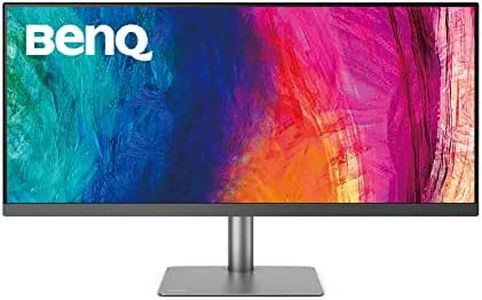
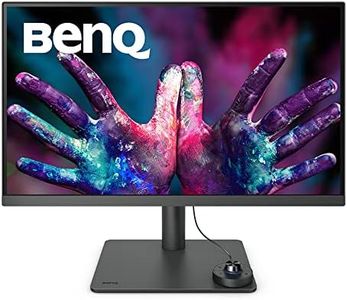
BenQ PD3420Q Designer Monitor (AQCOLOR Technology, 34 inch, 21:9 Ultrawide, WQHD 1440P, P3 Wide Color, USB-C 65W, DisplayHDR 400, KVM, Compatible for MacBook Pro M1/M2), Black

8.8  score

Available on
£268.99
View Product
View more options
Rating
8.8
Resolution
Color Accuracy
Panel Type
Resolution
The ultrawide 4K resolution provides a spacious workspace that allows viewing entire photos without scrolling, enhancing the editing experience.
Color Accuracy
The vivid colors and rich contrast deliver a sharp display that’s virtually identical to Apple’s color profile, making calibration often unnecessary.
Panel Type
The matte screen finish avoids distracting reflections and does not diminish the vividness of the colors when the monitor is on.
Connectivity
Mac compatibility shines through with a dedicated Macbook mode and seamless connection via Thunderbolt 3, USB-C, and HDMI, including convenient input switching and device charging.

The BenQ PD3420Q is a 34-inch ultrawide monitor designed with photo editors and designers in mind. Its resolution of 3440 x 1440 pixels offers a sharp and spacious workspace, which is great for managing multiple editing windows side-by-side. The standout feature is its excellent color accuracy, boasting 98% of the P3 color space and 100% sRGB coverage, along with Pantone validation and Calman verification. This means you can trust the colors you see on the screen to be very close to real life, which is essential for photo editing.

The AQCOLOR technology further ensures reliable color reproduction, and the ICC Sync compatibility makes color calibration quick and easy, especially useful for professionals who need consistent color across devices. The monitor includes versatile connectivity options like USB-C (with 65W power delivery), two HDMI ports, a DisplayPort, and a USB hub, allowing you to connect multiple devices and charge your laptop or mobile gear with a single cable. Ergonomically, it’s flexible with tilt, swivel, pivot, and height adjustments to keep you comfortable during long editing sessions.

The refresh rate is a standard 60 Hz and the contrast ratio is a typical 1000:1, which are adequate for photo editing but not tailored for high-speed gaming or HDR content creation. The flat screen and 21:9 aspect ratio provide a broad and clear workspace but may require adjustment if you’re used to more traditional monitor shapes. This monitor is especially well suited for creative professionals needing accurate colors and a large ultrawide display, particularly MacBook Pro users, as it includes a Mac-compatible color mode.

Rating
8.8
Resolution
Color Accuracy
Panel Type
Resolution
The ultrawide 4K resolution provides a spacious workspace that allows viewing entire photos without scrolling, enhancing the editing experience.
Color Accuracy
The vivid colors and rich contrast deliver a sharp display that’s virtually identical to Apple’s color profile, making calibration often unnecessary.
Panel Type
The matte screen finish avoids distracting reflections and does not diminish the vividness of the colors when the monitor is on.
Connectivity
Mac compatibility shines through with a dedicated Macbook mode and seamless connection via Thunderbolt 3, USB-C, and HDMI, including convenient input switching and device charging.

Buying Guide for the Best Photo Editing Monitors

Choosing the right monitor for photo editing is crucial because it directly affects how you perceive and work with your images. A good monitor will display colors accurately and provide a clear, detailed view of your photos, which is essential for making precise edits. When selecting a monitor, consider the type of photography you do, the level of detail you need, and how much space you have for your setup. Understanding the key specifications will help you make an informed decision that suits your editing needs.
ResolutionResolution refers to the number of pixels that make up the display on your monitor. Higher resolution means more pixels, which results in sharper and more detailed images. For photo editing, a higher resolution is generally better because it allows you to see finer details in your images. Common resolutions include Full HD (1920x1080), 2K (2560x1440), and 4K (3840x2160). If you work with high-resolution images or need to see intricate details, a 4K monitor might be the best choice. However, if your work is less detail-oriented, a 2K or even Full HD monitor could suffice.
Color AccuracyColor accuracy is how well a monitor can display colors as they are intended to be seen. This is crucial for photo editing because you want the colors on your screen to match the colors in your final output. Look for monitors that cover a wide color gamut, such as sRGB, Adobe RGB, or DCI-P3. Monitors with factory calibration or the ability to be calibrated are ideal. If your work requires precise color matching, such as in print photography, prioritize monitors with high color accuracy and calibration options.
Panel TypeThe panel type of a monitor affects its color reproduction, viewing angles, and response time. The most common types are IPS (In-Plane Switching), TN (Twisted Nematic), and VA (Vertical Alignment). IPS panels are generally preferred for photo editing because they offer the best color accuracy and wide viewing angles, which means colors remain consistent even when viewed from different angles. TN panels are cheaper and have faster response times but poorer color accuracy and viewing angles. VA panels offer good contrast but can have slower response times. For photo editing, an IPS panel is usually the best choice.
Screen SizeScreen size is the diagonal measurement of the monitor's display area. Larger screens provide more workspace and can make it easier to see details in your photos. Common sizes for photo editing monitors range from 24 inches to 32 inches. A larger screen can be beneficial if you work with multiple windows or need to see your images in greater detail. However, consider your desk space and how far you sit from the monitor. A 27-inch monitor is often a good balance between size and usability for most photo editors.
ConnectivityConnectivity refers to the types of ports available on a monitor for connecting to your computer and other devices. Common ports include HDMI, DisplayPort, USB-C, and Thunderbolt. Having multiple connectivity options can be useful if you need to connect different devices or use the monitor with various computers. If you use a laptop with USB-C or Thunderbolt, look for a monitor that supports these connections for easier setup and potentially faster data transfer. Consider your current and future connectivity needs when choosing a monitor.