We Use CookiesWe use cookies to enhance the security, performance, functionality and for analytical and promotional activities. By continuing to browse this site you are agreeing to our privacy policy

10 Best Phones For Seniors

From leading brands and best sellers available on the web.
By clicking on a link to a third party's website, log data is shared with that third party.

Our Top Picks

#1

Winner

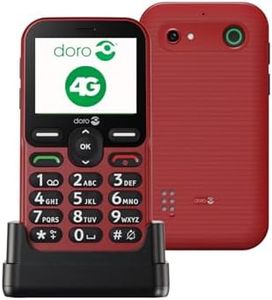
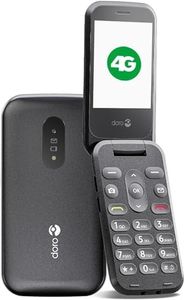
Doro 2800 4G unlocked basic mobile phone for seniors with loud and clear sound, large buttons, talking number keys, camera, assistance button and USB C charging lead [UK and Irish version] (Graphite)

Rating
10.0
Chosen by1,254
Display Size and Quality
User Interface
Battery Life
Display Size and Quality
Designed with simplicity in mind, the phone features a clear, scrollable screen and large, easy-to-press buttons that eliminate unnecessary complexity.
User Interface
The straightforward layout and absence of distracting icons make it perfect for seniors who prefer a no-fuss phone experience.
Battery Life
While battery life is generally sufficient for daily use, standby time might be shorter compared to previous models.
Sound Quality and Volume
The phone fits comfortably in a pocket and balances a compact design with practical features like a clear screen and loud sound.
Emergency Features
The emergency assistance button offers valuable peace of mind, with the option to disable it if accidentally triggered.

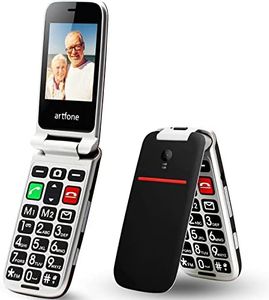
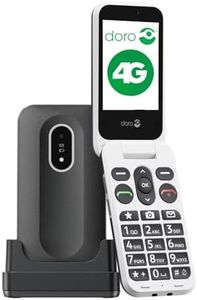
The Doro 2800 is a basic 4G flip phone designed specifically for seniors who want simplicity and practicality. Its 2.8-inch screen is on the smaller side but clear enough for everyday use, and the large physical buttons combined with talking number keys are great for users with vision difficulties. The phone’s loud and clear sound, hearing aid compatibility, and visual ringing indicator help ensure calls are easy to manage, even for those with hearing challenges. Battery life is decent with a 1000mAh capacity, but since the phone is compact and not power-hungry, it should comfortably last a day of regular use. Emergency features stand out with the assistance button that quickly sends alerts and calls preset contacts, offering peace of mind to users and their families.

The camera is very basic (VGA resolution), suitable only for simple snapshots, not high-quality photos. Durability seems reasonable for typical use, though the clamshell design can protect the screen when closed but might not withstand heavy drops. The Doro 2800 lacks advanced smartphone features, which some seniors may appreciate for its straightforwardness, but others might find the limited internal memory (0.1 GB) and older Android 7.1 operating system restrictive. It includes useful extras like speed dial, adjustable font size, a torch, and Bluetooth, enhancing everyday convenience.

The phone charges via USB-C, but note that the power adapter and charging cradle are not included, which might require an additional purchase. For those seeking a no-fuss, easy-to-use senior phone focused on calls, safety alerts, and basic messaging, the Doro 2800 is a suitable choice. However, users wanting larger screens, better cameras, or more modern software might want to explore other options.

Rating
10.0
Chosen by1,254
Display Size and Quality
User Interface
Battery Life
Display Size and Quality
Designed with simplicity in mind, the phone features a clear, scrollable screen and large, easy-to-press buttons that eliminate unnecessary complexity.
User Interface
The straightforward layout and absence of distracting icons make it perfect for seniors who prefer a no-fuss phone experience.
Battery Life
While battery life is generally sufficient for daily use, standby time might be shorter compared to previous models.
Sound Quality and Volume
The phone fits comfortably in a pocket and balances a compact design with practical features like a clear screen and loud sound.
Emergency Features
The emergency assistance button offers valuable peace of mind, with the option to disable it if accidentally triggered.
#2

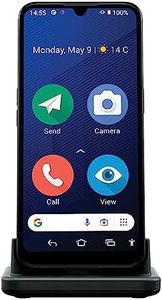
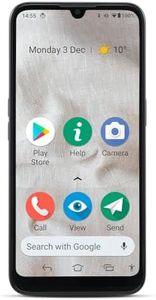
Doro 8200 4G Unlocked Smartphone for Seniors - Easy Mobile Phone - 16MP Camera - Water-resistant Android Phone - 6.1" Display - Assistance Button with GPS - Charging Cradle [UK & Irish Version]

Rating
9.1
Display Size and Quality
User Interface
Battery Life
Display Size and Quality
The phone is easy to use and the screen is clear, making it ideal for seniors.
User Interface
The keyboard for messaging is a good size and the predictive text works well.
Battery Life
Charges quickly and easily, providing great value for the money.
Emergency Features
Large icons and a useful emergency button make it very senior-friendly.

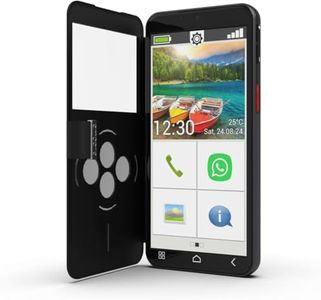
The Doro 8200 4G Unlocked Smartphone is a thoughtful choice for seniors, designed with intuitive usability in mind. Its 6.1-inch display provides clear, easily readable icons and menus which can greatly help those who might struggle with smaller interfaces. The device runs on Android, allowing access to a plethora of apps from the Google Play Store, and includes popular pre-installed apps which can be quite convenient.

Safety is a major selling point with features like the Response button, which alerts pre-set contacts and shares the user's GPS location, offering peace of mind to both users and their families. The Doro 8200 supports remote assistance via the TeamViewer app, which is a practical feature for seniors needing help with their device operations.

For sound, the Doro ClearSound technology ensures conversations are audible even in noisy environments, and its hearing aid compatibility is a significant advantage. The phone is also water-resistant, rated at IP54, meaning it can handle occasional splashes but isn't fully waterproof.

Photography is simplified with its triple-camera setup—16MP main lens, supported by 2MP portrait and macro lenses, and a 5MP front camera, though it may not match the quality of more advanced smartphones. The phone includes face recognition for an easy unlocking method, adding a layer of security.

A potential downside could be the battery life, which isn't specifically highlighted, though it comes with a charging cradle that might compensate for frequent recharging needs. The 4GB RAM and A Series CPU suggest moderate performance; it should handle basic tasks well but might not be ideal for highly demanding applications.

In essence, this smartphone is well-suited for seniors who prioritize ease of use, safety features, and clear communication, though those seeking advanced photography or high-performance gaming might not find it fully satisfying.

Rating
9.1
Display Size and Quality
User Interface
Battery Life
Display Size and Quality
The phone is easy to use and the screen is clear, making it ideal for seniors.
User Interface
The keyboard for messaging is a good size and the predictive text works well.
Battery Life
Charges quickly and easily, providing great value for the money.
Emergency Features
Large icons and a useful emergency button make it very senior-friendly.
#3

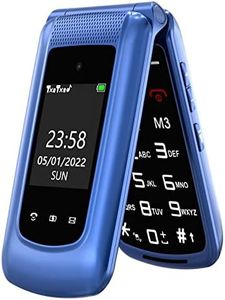
Doro Leva L20 Unlocked Mobile Phone for Seniors - Large Display - Powerful HD Sound - Camera - Assistance Button with GPS Location - Basic Phone Without Internet (Black)

Rating
8.8
User Interface
Emergency Features
Sound Quality and Volume
User Interface
The phone’s physical keys and compact size make it easy to carry and use without a touchscreen.
Emergency Features
The emergency alert feature offers peace of mind by quickly notifying trusted contacts when needed.
Sound Quality and Volume
Sound quality is clear and volume is loud, which is essential for seniors, though the side sound button can be accidentally pressed due to the phone’s compact design.
Display Size and Quality
The small screen is clear enough to see who is calling, making it suitable for users who prefer simplicity over advanced displays.

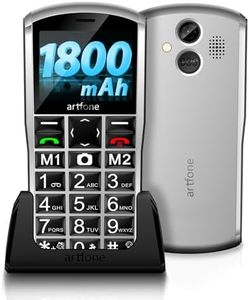
The Doro Leva L20 is designed specifically for seniors who want a straightforward phone without internet distractions. Its 2.8-inch screen is relatively small but offers high contrast and large keys, making it easier to read and dial. The user interface is simple, running on KaiOS, which keeps things basic and user-friendly. Sound quality stands out with HD Voice and loud volume, compatible with hearing aids, so calls should be clear even in noisy environments. The 1000mAh battery, paired with a charging dock, delivers solid battery life that should last a day or more with typical use, which is convenient for seniors who don’t want to charge frequently. A key safety feature is the assistance button with GPS that quickly alerts up to five trusted contacts in an emergency, adding peace of mind.

The phone includes a basic 2MP camera and a built-in torch, handy for simple photo needs and low-light situations. On the downside, the screen resolution is low (320 x 240), so images and text won’t be very sharp. The phone is lightweight but might feel a bit basic or small for those who prefer larger displays or more advanced cameras. It also lacks internet access, which might limit those wanting to use apps or browse online.

This device is well suited for seniors seeking a reliable, easy-to-use mobile for calls, texts, and emergency support without extra features to complicate things.

Rating
8.8
User Interface
Emergency Features
Sound Quality and Volume
User Interface
The phone’s physical keys and compact size make it easy to carry and use without a touchscreen.
Emergency Features
The emergency alert feature offers peace of mind by quickly notifying trusted contacts when needed.
Sound Quality and Volume
Sound quality is clear and volume is loud, which is essential for seniors, though the side sound button can be accidentally pressed due to the phone’s compact design.
Display Size and Quality
The small screen is clear enough to see who is calling, making it suitable for users who prefer simplicity over advanced displays.

Buying Guide for the Best Phones For Seniors

When choosing a phone for seniors, it's important to focus on features that enhance usability, safety, and convenience. Seniors may have different needs compared to younger users, such as larger text, simpler interfaces, and emergency features. Here are some key specifications to consider when selecting a phone for seniors, along with explanations to help you make the best choice.
Display Size and QualityThe display size and quality are crucial for seniors as they may have vision impairments. A larger screen makes it easier to read text and view images. Look for phones with at least a 5-inch display. Higher resolution screens provide clearer and sharper images, which can reduce eye strain. If the senior has significant vision issues, consider phones with even larger screens and high contrast settings.
User InterfaceA simple and intuitive user interface is essential for seniors who may not be tech-savvy. Phones with simplified menus, large icons, and easy navigation can make a big difference. Some phones offer a 'senior mode' or 'easy mode' that simplifies the interface further. Choose a phone that allows customization of the home screen to include frequently used apps and contacts for quick access.
Battery LifeLong battery life is important to ensure the phone lasts throughout the day without frequent charging. Look for phones with a battery capacity of at least 3000mAh. Seniors may not always remember to charge their phones, so a device with good battery performance can be very beneficial. Consider phones with power-saving modes to extend battery life even further.
Sound Quality and VolumeClear sound quality and adjustable volume levels are vital for seniors, especially those with hearing impairments. Phones with loud and clear speakers, as well as compatibility with hearing aids, can enhance the user experience. Check for phones with features like HD voice and noise cancellation to improve call clarity. Ensure the phone has easy-to-access volume controls.
Emergency FeaturesEmergency features such as an SOS button or emergency contact shortcuts can provide peace of mind for both seniors and their families. These features allow quick access to emergency services or pre-set contacts in case of an emergency. Some phones also offer location tracking and fall detection, which can be crucial for seniors living alone. Choose a phone with reliable and easily accessible emergency features.
DurabilityDurability is important as seniors may accidentally drop their phones. Look for phones with sturdy build quality and features like water resistance and shatterproof screens. Protective cases and screen protectors can also add an extra layer of protection. Consider phones with a good warranty and customer support in case repairs are needed.
Camera QualityWhile camera quality may not be the top priority, having a decent camera can be enjoyable for seniors who like to take photos of family and friends. Look for phones with at least an 8-megapixel camera for clear and sharp images. Simple camera interfaces with easy-to-use features can make photography more accessible. If the senior enjoys video calls, ensure the front camera is also of good quality.