We Use CookiesWe use cookies to enhance the security, performance, functionality and for analytical and promotional activities. By continuing to browse this site you are agreeing to our privacy policy

10 Best Hp Printers

From leading brands and best sellers available on the web.
Our Top Picks

#1

Winner

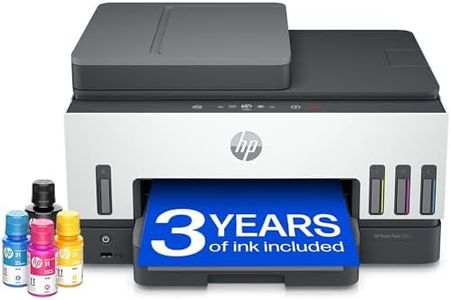
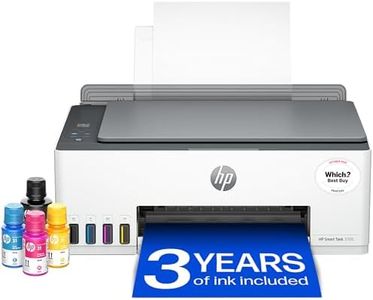
HP Smart Tank 7605 All in One Printer | Perfect for Home | Colour | Wireless, Ethernet | Print, Scan, Copy, Fax | Refillable, Includes up to 3 Years of Ink | 2-Sided Printing | Document Feeder

Rating
10.0
Chosen by1,324
Print Quality (Resolution)
Connectivity Options
Paper Handling
Print Quality (Resolution)
Print quality is consistently good, with reliable performance for both text and images.
Connectivity Options
Reliable connectivity with multiple devices, including tablets and phones, makes printing hassle-free.
Paper Handling
The absence of a single sheet feed requires opening the tray for each paper change, which can be inconvenient.
Operating Costs
The ink tanks are a game-changer, offering much cheaper and longer-lasting ink compared to traditional cartridges.

The HP Smart Tank 7605 All-in-One Printer stands out for its versatility, making it a solid choice for busy families needing to manage high-volume color printing. A major strength is its multifunctionality; it can print, copy, scan, and fax, with a handy 35-page automatic document feeder that makes tackling large jobs easier. The automatic two-sided printing is a bonus, helping save paper without manual intervention. Print quality is impressive, particularly for color graphics and photos, thanks to a maximum resolution of 4800 x 1200 dpi for color prints. One key advantage is the cost efficiency: it comes with HP's ink bottles capable of producing up to 12,000 black and 8,000 color pages, potentially saving significant money in ink costs over time.

However, it's not the fastest printer out there, with speeds up to 11 ppm for black and 5 ppm for color in standard mode, which may be a downside for those who need rapid printouts. The design is compact but somewhat heavy at 7.7 kg, which might be cumbersome to move around frequently. In terms of connectivity, it supports wireless and Bluetooth options, allowing for easy printing from mobile devices. Yet, setup might require a little patience for those unfamiliar with such technology.

The printer includes basic security features like encryption and password protection, ensuring some level of privacy. While it's user-friendly with guided buttons, those new to ink tank systems might find the refilling process a bit challenging initially, even though HP has implemented a spill-free refill mechanism. In essence, this printer is ideal for families or home offices that prioritize high-volume, quality printing over speed, and don't mind a slightly bulkier machine.

Rating
10.0
Chosen by1,324
Print Quality (Resolution)
Connectivity Options
Paper Handling
Print Quality (Resolution)
Print quality is consistently good, with reliable performance for both text and images.
Connectivity Options
Reliable connectivity with multiple devices, including tablets and phones, makes printing hassle-free.
Paper Handling
The absence of a single sheet feed requires opening the tray for each paper change, which can be inconvenient.
Operating Costs
The ink tanks are a game-changer, offering much cheaper and longer-lasting ink compared to traditional cartridges.
#2

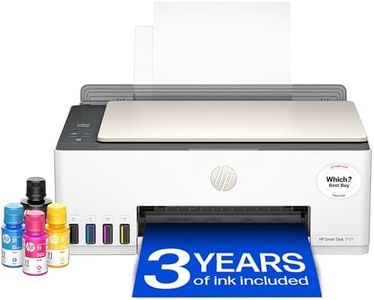
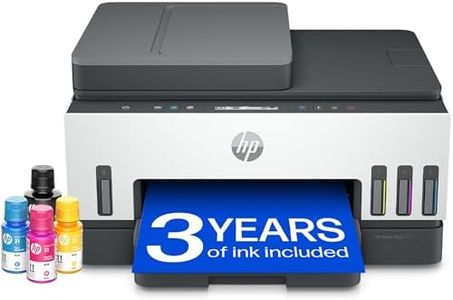
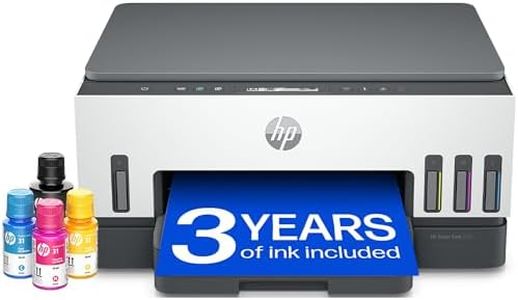
HP Smart Tank 7005 All in One Printer | Perfect for Home | Colour | Wireless | Print, Scan, Copy | Includes up to 3 Years of Ink | Refillable | 2-Sided Printing | Easy Setup | Reliable Wi-Fi

Rating
8.8
Print Quality (Resolution)
Print Speed
Connectivity Options
Print Quality (Resolution)
The printer delivers outstanding print quality with sharp black text and vibrant colour graphics, matching its high-resolution specs.
Print Speed
Print speeds are efficient, enabling fast black and colour printing while scanning simultaneously to save time.
Connectivity Options
Connectivity may initially be unstable, but once set up, the system starts instantly and operates reliably.
Multifunctionality
Print speeds are efficient, enabling fast black and colour printing while scanning simultaneously to save time.
Operating Costs
Ink tanks offer tremendous value, providing enough ink to last over a year and significantly reducing running costs compared to traditional cartridges.
Size and Design
The compact and attractive design fits well in home or office spaces, balancing functionality with a neat footprint.

The HP Smart Tank 7005 is designed with families in mind, offering high-quality colour printing, scanning, and copying in one device. It delivers sharp text and vibrant colour graphics with a maximum resolution of 4800 x 1200 dpi for colour prints and 1200 x 1200 dpi for black and white, making it suitable for school projects, photos, and everyday documents. Print speeds reach up to 23 pages per minute in black and 22 pages in colour, which is fairly quick for home use. It supports automatic two-sided printing, helping save paper and making it more efficient.

Connectivity is versatile with wireless and mobile printing options plus USB support, allowing easy printing from smartphones and laptops. The printer includes an LCD touchscreen for simple navigation and smart-guided buttons that assist with scanning and copying tasks, making it user-friendly even for those not tech-savvy. One standout feature is the refillable ink system with spill-free bottles and enough ink included to print thousands of pages, which significantly lowers operating costs compared to traditional cartridges. The large 250-sheet input tray means fewer paper refills, suitable for busy households.

In terms of design, it has a compact footprint and is made partially from recycled materials, appealing to environmentally conscious users. However, it weighs over 6 kg, so it’s best placed on a stable surface. While it handles A4 size paper well, it’s not intended for larger formats. The main drawbacks are moderate copy speed (up to 13 pages per minute) and the scanner being sheetfed rather than flatbed, which might limit scanning versatility for thick or delicate originals. Also, while the printer offers basic security features, advanced protections are limited. This printer is a solid choice for families or home users who need affordable, high-volume colour printing with multifunction capabilities and easy maintenance.

Rating
8.8
Print Quality (Resolution)
Print Speed
Connectivity Options
Print Quality (Resolution)
The printer delivers outstanding print quality with sharp black text and vibrant colour graphics, matching its high-resolution specs.
Print Speed
Print speeds are efficient, enabling fast black and colour printing while scanning simultaneously to save time.
Connectivity Options
Connectivity may initially be unstable, but once set up, the system starts instantly and operates reliably.
Multifunctionality
Print speeds are efficient, enabling fast black and colour printing while scanning simultaneously to save time.
Operating Costs
Ink tanks offer tremendous value, providing enough ink to last over a year and significantly reducing running costs compared to traditional cartridges.
Size and Design
The compact and attractive design fits well in home or office spaces, balancing functionality with a neat footprint.
#3

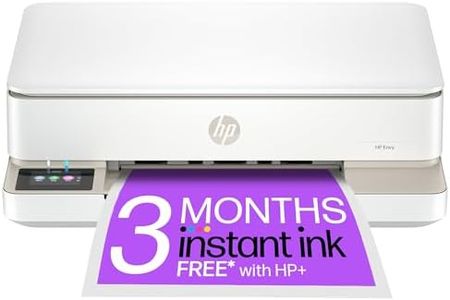
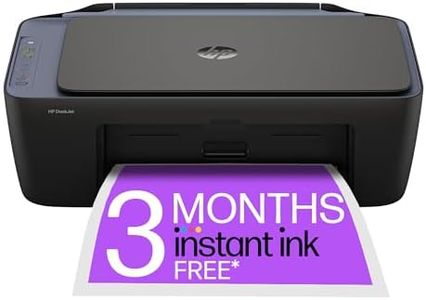
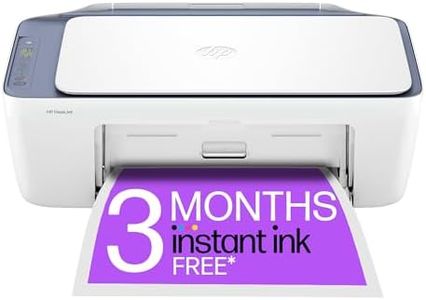
HP DeskJet 2810e All in One Printer | Perfect for Home | Colour | Wireless | Print, Scan & Copy | 3 Months of free Instant Ink | Easy Setup & Reliable Wi-Fi | White

Rating
8.8
Print Quality (Resolution)
Print Speed
Connectivity Options
Print Quality (Resolution)
Print quality is great, with color prints looking true to color.
Print Speed
Print speed is adequate for domestic needs, though it may not be ideal for bulk printing.
Connectivity Options
Easy to install and link to Wi-Fi on various devices, including Windows, iPad, and Android.
Multifunctionality
The printer is compact and includes scanning and photocopying options, making it versatile for home office tasks.
Paper Handling
The printer is not too noisy and handles paper feed well.
Operating Costs
HP Instant Ink subscription offers a significant cost-saving on ink, with a 6-month free trial if registered within a week of setup.

The HP DeskJet 2810e All-in-One Printer is a solid choice for home use, especially for those looking to perform basic printing tasks. Its print quality is quite decent, with a resolution of 1200 x 1200 dpi for both black-and-white and color prints. However, the print speed is on the slower side, with 7.5 pages per minute for black-and-white and 5.5 pages per minute for color, which might be a drawback for users with high-volume printing needs.

The printer supports wireless connectivity, making it convenient to use with multiple devices and easy to set up with HP's user-friendly print app. This model also includes scanning and copying functionalities, adding to its versatility for home office tasks. Paper handling is limited, with a maximum input sheet capacity of 60, which might require more frequent refills for regular use.

Operating costs could be managed better through HP's Instant Ink service, which offers up to 70% savings on ink and includes 3 free months of printing up to 700 pages monthly. Design-wise, the printer is compact and lightweight, making it easy to fit into small spaces. Additionally, it's made with 60% recycled plastic, contributing to a more eco-friendly choice. The HP DeskJet 2810e offers reliable performance for everyday printing, scanning, and copying needs at home, though its slower print speeds and limited paper capacity might not suit all users.

Rating
8.8
Print Quality (Resolution)
Print Speed
Connectivity Options
Print Quality (Resolution)
Print quality is great, with color prints looking true to color.
Print Speed
Print speed is adequate for domestic needs, though it may not be ideal for bulk printing.
Connectivity Options
Easy to install and link to Wi-Fi on various devices, including Windows, iPad, and Android.
Multifunctionality
The printer is compact and includes scanning and photocopying options, making it versatile for home office tasks.
Paper Handling
The printer is not too noisy and handles paper feed well.
Operating Costs
HP Instant Ink subscription offers a significant cost-saving on ink, with a 6-month free trial if registered within a week of setup.

Buying Guide for the Best Hp Printers

Choosing the right HP printer involves understanding your specific needs and matching them with the printer's features. Whether you need a printer for home, office, or professional use, it's important to consider factors like print quality, speed, connectivity, and additional functionalities. By evaluating these key specifications, you can ensure that you select a printer that meets your requirements and provides the best value for your needs.
Print Quality (Resolution)Print quality, measured in dots per inch (DPI), determines how sharp and detailed the printed output will be. Higher DPI values mean better print quality. For general home use, a resolution of 600x600 DPI is usually sufficient. For professional photo printing or detailed graphics, look for printers with 1200x1200 DPI or higher. Consider what you will be printing most often to decide the level of print quality you need.
Print SpeedPrint speed, measured in pages per minute (PPM), indicates how quickly a printer can produce documents. This is important if you need to print large volumes of documents regularly. For home use, a speed of 10-20 PPM is typically adequate. For office environments where time is critical, look for printers with speeds of 20-40 PPM or higher. Assess your typical print volume and urgency to determine the appropriate print speed.
Connectivity OptionsConnectivity options determine how you can connect your devices to the printer. Common options include USB, Wi-Fi, Ethernet, and Bluetooth. For home use, Wi-Fi connectivity is convenient for wireless printing from multiple devices. In an office setting, Ethernet connectivity might be preferred for stable and secure network printing. Consider your environment and how you plan to connect your devices to choose the right connectivity options.
MultifunctionalityMultifunction printers (MFPs) can print, scan, copy, and sometimes fax. These are ideal for home offices or small businesses where space and budget are limited. If you only need to print documents, a single-function printer might be sufficient. However, if you need to perform multiple tasks, an MFP can save space and provide added convenience. Think about the tasks you need to accomplish to decide if a multifunction printer is right for you.
Paper HandlingPaper handling refers to the types and sizes of paper a printer can accommodate, as well as its paper tray capacity. For home use, a standard tray that holds 100-150 sheets is usually enough. For office use, look for printers with larger capacities and the ability to handle various paper sizes and types, such as envelopes and labels. Consider the types of documents you will be printing and the volume to choose the right paper handling capabilities.
Operating CostsOperating costs include the price of ink or toner and the printer's energy consumption. Some printers have high upfront costs but lower operating costs, while others are cheaper initially but more expensive to maintain. Look for printers with high-yield cartridges or eco-friendly features to reduce long-term costs. Evaluate how often you will be printing and your budget for supplies to determine the most cost-effective option.
Size and DesignThe size and design of a printer can affect where you can place it and how it fits into your workspace. Compact printers are ideal for small spaces, while larger models may offer more features but require more room. Consider the available space in your home or office and choose a printer that fits comfortably without compromising on the features you need.