10 Best Drawing Tablets For Artists
From leading brands and best sellers available on the web.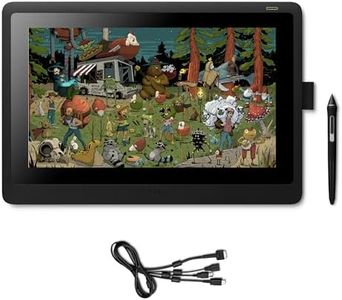

Related Products
Up to 20% off

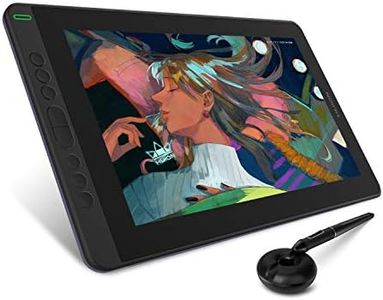
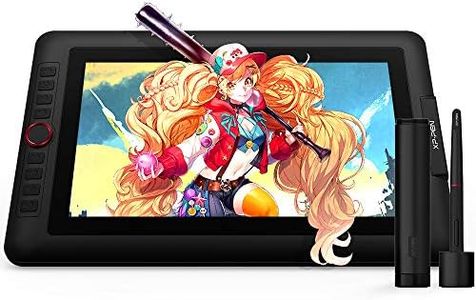
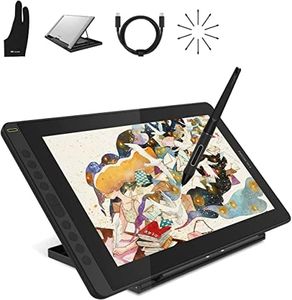


Our Top Picks
Winner
Wacom Cintiq 16 Creative Pen Display for On Screen Sketching, Illustrating and Drawing with 1920 x 1080 Full HD Display, Vibrant Color and Unbelievable Pen Precision, Compatible with Windows and Mac
The Wacom Cintiq 16 is a solid choice for artists looking for a drawing tablet with a screen. It offers a 15.6-inch display, which strikes a good balance between portability and enough screen real estate for detailed work. The Full HD resolution (1920x1080) ensures sharp and colorful visuals, with 16.7 million colors to bring vibrancy to your artwork. The screen also features anti-glare and reduced parallax, enhancing the drawing experience by making it more comfortable and precise, and the screen is scratch-resistant, adding durability to the device.
The included Wacom Pro Pen 2 features 8192 levels of pressure sensitivity and 60° tilt recognition, allowing for highly detailed and expressive drawing that feels natural, akin to working with traditional art tools. The pen is battery-free, which is convenient as you won't have to worry about charging it. Connectivity is straightforward with a 3-in-1 connector that includes USB and HDMI, making it easy to set up with both Windows and Mac systems. Compatibility with Mac OS X 10.12 and Windows 7 or later versions means that it works seamlessly with most modern PCs and laptops. It's also pleasant to use with various software programs like Adobe Creative Suite and MS Office.
The tablet lacks some advanced features found in more expensive models, such as higher resolution screens and customizable shortcut buttons, which might be important for professional artists looking for more sophisticated tools. The package includes useful accessories such as foldable legs, a detachable pen holder with extra nibs, and necessary cables, making it user-friendly right out of the box. The Wacom Cintiq 16 is suitable for a range of activities, including illustrating, photo-retouching, and remote working, making it a versatile tool for both amateur and professional artists.
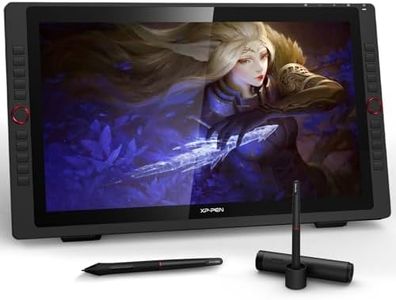
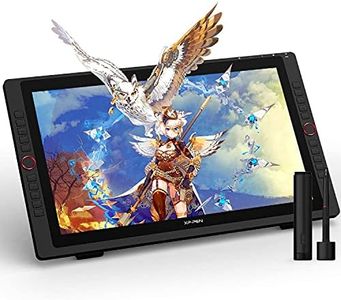
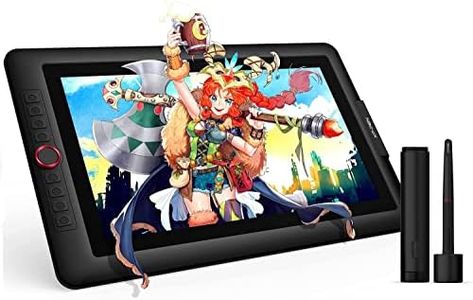
XP-PEN Artist24 Pro 23.8" Gracphic Tablet Pen Display 2K QHD Drawing Monitor with 2 Red Dials, 20 Shortcut Keys, 8192 Levels Battery-free Stylus Supports Tilt Function
The XP-PEN Artist 24 Pro is a feature-rich drawing tablet designed for artists seeking a large and precise digital canvas. Its impressive 23.8-inch screen provides ample space for creativity, while the 2K QHD resolution (2560 x 1440) and 90% Adobe RGB color gamut ensure sharp images and vibrant colors, crucial for detailed artwork. Artists will appreciate the 8192 levels of pressure sensitivity and 60-degree tilt support in the battery-free stylus, which allows for enhanced control over line thickness and precision while drawing.
Convenience is a highlight with this device. The tablet includes 20 shortcut keys and two customizable dials, making it easier to access frequently used tools and improve workflow efficiency during creative sessions. Connectivity is versatile, offering both standard USB and USB-C connections, which is beneficial for users with modern devices. Compatibility extends across major operating systems like Windows, macOS, and even Linux, making it suitable for a variety of users.
However, the product's weight, at 10 kg, might be cumbersome for some users, especially if portability is a concern. Additionally, the absence of a built-in battery means this is strictly a stationary device, reliant on power from connected devices. The screen size might also be overkill for casual artists or those with limited workspace.
In conclusion, the XP-PEN Artist 24 Pro is a compelling choice for professional artists and illustrators looking for a large, high-resolution drawing tablet with excellent color accuracy and pen performance. Its robust feature set and wide compatibility make it an attractive option for serious digital artists, although it may not be the best fit for those needing portability or compactness.
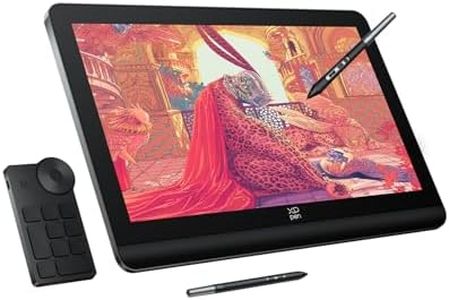
XPPen Magic Drawing Pad, Standalone Graphics Tablet with 12.2" Paper-like Screen, Portable Digital Art Pad with X3 Pro Pencil, 16K Pressure Levels, Ideal for Painting, Reading, Gaming, Photographing
The XPPen Magic Drawing Pad is an impressive standalone tablet designed with artists in mind. One of its main strengths is the 12.2-inch paper-like screen that offers a realistic drawing experience, largely due to its use of AG etched technology. The wide color gamut of 109% sRGB and 16.77 million colors means you get vibrant and accurate colors, ideal for detailed art projects.
Equipped with the X3 Pro Pencil, artists will appreciate the 16K pressure levels and EMR technology, allowing for precise and smooth lines. The pen doesn't require charging or pairing, which is a convenient feature for uninterrupted creativity. The built-in Android system with 256GB ROM and a substantial 8000 mAh battery means you can work independently of a laptop or PC for about 13 hours, making it highly portable and flexible for on-the-go creation.
Connectivity is facilitated through USB, and the tablet supports popular Android apps from Google Play, which makes it versatile for not just drawing but also reading, gaming, and more. Its dual-window feature allows multitasking, accommodating artists who like to keep multiple references open while they work. However, there are some drawbacks. The tablet's reliance on the Android operating system might limit software compatibility for artists who prefer desktop-class applications. Additionally, while it supports USB connectivity, it lacks other forms of connectivity like HDMI or wireless options, which could be a disadvantage if you need to connect to other devices.
In essence, the XPPen Magic Drawing Pad is best suited for artists who value mobility and a paper-like drawing experience, though it might not fully meet the needs of those requiring advanced software compatibility or extensive connectivity options.