We Use CookiesWe use cookies to enhance the security, performance, functionality and for analytical and promotional activities. By continuing to browse this site you are agreeing to our privacy policy

9 Best Cricut Machines

From leading brands and best sellers available on the web.
By clicking on a link to a third party's website, log data is shared with that third party.

Our Top Picks

#1

Winner

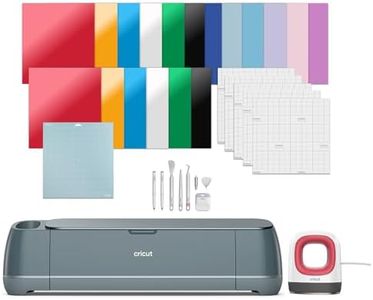
Cricut Maker 4 Essentials Plus Bundle (2025)

Rating
10.0
Chosen by1,464
Cutting Force
Cutting Force
It handles complex and detailed designs with ease, opening up new creative possibilities.

The Cricut Maker 4 Essentials Plus Bundle is a versatile cutting machine designed for a wide range of crafting projects. It offers a generous active cutting area of 144 square inches, letting you work on larger designs without frequent repositioning. This is a big help if you want to create bigger or more complex projects with ease. It works with over 300 materials, including popular options like vinyl, iron-on, cardstock, leather, and posterboard, which means it can handle most crafting materials you’d want to use. The cutting precision is excellent, allowing intricate designs to come out clean and detailed.

The bundle adds value by including an EasyPress Mini, which is useful for heat transfers and complements the cutting machine well. The machine connects to the free Design Space app, which is user-friendly and helps you design or import projects easily; plus, it works with your home inkjet printer to print and then cut full-colour designs, opening up more creative possibilities.

It is important to note that the machine operates manually during setup and cutting, which might require some getting used to if you’re new to craft machines. Also, the bundle is a bit bulky and heavy (over 12 kg), so consider where you’ll store it. Customer feedback is quite positive, with a solid 4.4 out of 5 stars, reflecting reliable performance. This machine is great for hobbyists and crafters who want flexibility to work with many materials and enjoy detailed projects. If you’re looking for a machine to handle everyday crafting and some advanced designs, the Cricut Maker 4 Essentials Plus Bundle is a strong choice, though it might be more than what casual users who only cut simple shapes need.

Rating
10.0
Chosen by1,464
Cutting Force
Cutting Force
It handles complex and detailed designs with ease, opening up new creative possibilities.
#2

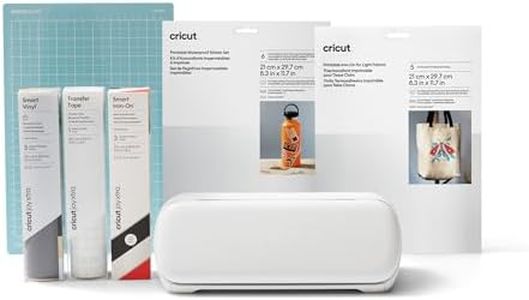
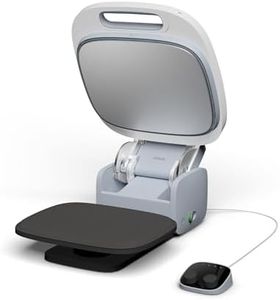
Cricut Autopress | 38 cm x 30 cm (15" x 12") Heat Plate | Professional Heat Press for Iron On Vinyl (HTV), Infusible Ink and Sublimation | Heats up to 205°C (400°F)

Rating
9.1
Cutting Force
Cutting Size
Additional Features
Cutting Force
Pressure capacity may fall short for some heavier or thicker materials, limiting versatility.
Cutting Size
The machine’s weight and size make it less ideal for those needing a portable or compact solution.
Additional Features
Effortless operation with a zero-effort closing system makes heat transfers quick and simple.

The Cricut Autopress is a professional heat press designed for crafting projects involving iron-on vinyl, infusible ink, and sublimation. Its large 15 x 12-inch ceramic-coated heat plate offers ample space for medium to large designs, making it a good fit for hobbyists and small business owners focusing on custom apparel or home decor. The press heats up quickly to 205°C (400°F), which covers the temperature needs for most heat transfer materials. One of its standout features is the zero-effort closing system and auto-release function, which simplifies operation and helps prevent mistakes during pressing. It also auto-adjusts to materials up to 2 inches thick, reducing the risk of shifting and ensuring even pressure. The included control pod with four preset options helps users avoid guesswork, speeding up workflow.

The machine is quite heavy at 23 kg and fairly bulky, which might make it less convenient for users with limited workspace or those who need a portable solution. Additionally, it doesn’t have integrated software or wireless connectivity, so you'll need to manage designs separately on your computer or device. For those seeking a reliable and easy-to-use heat press with a solid size and temperature range suitable for a variety of materials, this machine performs well. However, if portability or built-in digital controls are essential, other options may be more suitable.

Rating
9.1
Cutting Force
Cutting Size
Additional Features
Cutting Force
Pressure capacity may fall short for some heavier or thicker materials, limiting versatility.
Cutting Size
The machine’s weight and size make it less ideal for those needing a portable or compact solution.
Additional Features
Effortless operation with a zero-effort closing system makes heat transfers quick and simple.
#3

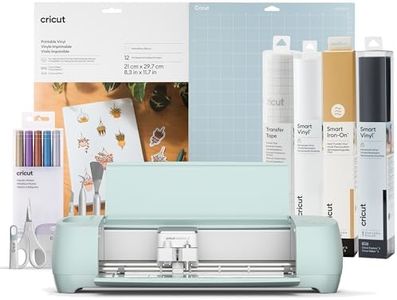
Cricut Explore 3 | Starter Bundle (2024)

Rating
9.1
Cutting Size
Material Compatibility
Software and Connectivity
Cutting Size
Using Smart Materials without a mat is a game-changer, especially for longer projects up to 12 feet.
Material Compatibility
The ability to cut a wide variety of materials quickly and accurately makes this machine ideal for all craft levels.
Software and Connectivity
The Cricut Design Space software is user-friendly and connects seamlessly via Bluetooth, though it requires an internet connection.
Additional Features
Setup is straightforward and the machine is very sturdy, offering great value and safety with its enclosed cutting blade.

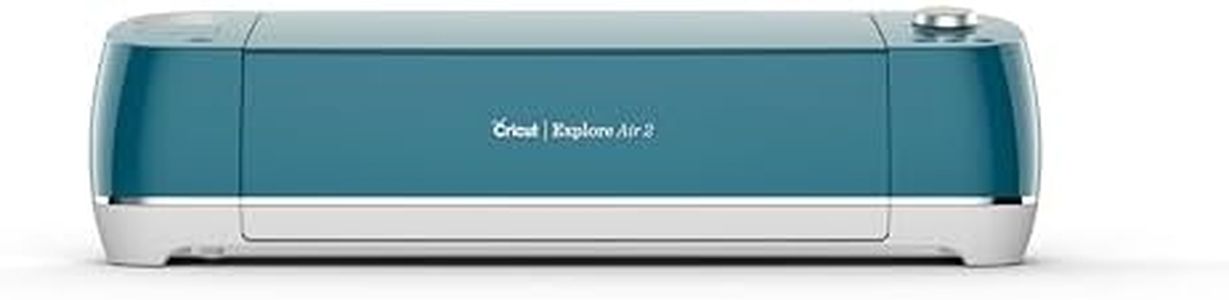
The Cricut Explore 3 Starter Bundle is a versatile cutting machine ideal for hobbyists and crafters who want to work with a wide range of materials. It can cut over 100 materials, including cardstock, vinyl, iron-on, glitter paper, and bonded fabric, offering great flexibility for various projects. One of its standout features is compatibility with smart materials, allowing cuts up to 12 feet long without the need for a mat, which is handy for larger designs. The cutting surface is fairly large at 915.5 cm², providing plenty of space for different sized projects.

The machine supports six different tools for cutting, writing, foiling, and more, though some tools are sold separately. This expands creative possibilities but could add to the overall cost. Connectivity is straightforward through Cricut Design Space software, where you can upload your own designs or use a vast library, making it beginner-friendly and easy to use even if you’re new to crafting.

A consideration is its size and weight (about 8.67 kg and quite chunky), meaning it might need a dedicated space and isn’t the easiest to transport. Also, while it offers automatic operation, the cutting force isn’t specified, so it might struggle with very thick or dense materials compared to more heavy-duty machines. The included bundle adds good value with various vinyls, markers, and mats to get you started right away. This Cricut Explore 3 is a solid choice if you want an easy-to-use, versatile machine for a variety of crafting materials and larger projects, especially if you appreciate the convenience of smart materials. Just keep in mind the size and potential extra costs for additional tools if you want to explore its full capabilities.

Rating
9.1
Cutting Size
Material Compatibility
Software and Connectivity
Cutting Size
Using Smart Materials without a mat is a game-changer, especially for longer projects up to 12 feet.
Material Compatibility
The ability to cut a wide variety of materials quickly and accurately makes this machine ideal for all craft levels.
Software and Connectivity
The Cricut Design Space software is user-friendly and connects seamlessly via Bluetooth, though it requires an internet connection.
Additional Features
Setup is straightforward and the machine is very sturdy, offering great value and safety with its enclosed cutting blade.

Buying Guide for the Best Cricut Machines

When choosing a Cricut machine, it's important to consider what types of projects you plan to undertake. Cricut machines are versatile crafting tools that can cut, write, and score a variety of materials, making them ideal for a wide range of creative projects. Understanding the key specifications will help you select a machine that best fits your crafting needs and skill level. Consider the types of materials you want to work with, the complexity of your projects, and how often you plan to use the machine. This will guide you in choosing a machine that offers the right features and capabilities for your crafting endeavors.
Cutting ForceCutting force refers to the pressure the machine applies to cut through materials. This is important because it determines the types of materials the machine can handle. Machines with higher cutting force can cut through thicker and tougher materials like leather and balsa wood, while those with lower cutting force are suitable for paper, vinyl, and cardstock. If you plan to work with a variety of materials, especially thicker ones, opt for a machine with higher cutting force. For simpler projects with lighter materials, a machine with lower cutting force will suffice.
Cutting SizeCutting size indicates the maximum dimensions of material that the machine can cut. This is crucial for determining the scale of your projects. Machines with larger cutting sizes can handle bigger projects like large decals or banners, while those with smaller cutting sizes are more suited for cards and small crafts. Consider the typical size of your projects; if you frequently work on large-scale projects, a machine with a larger cutting size will be beneficial. For smaller, more detailed work, a smaller cutting size may be adequate.
Material CompatibilityMaterial compatibility refers to the range of materials a Cricut machine can cut, write, or score. This is important because it affects the versatility of your crafting projects. Some machines can handle over 100 different materials, including fabric, vinyl, and wood, while others may be limited to fewer types. If you enjoy experimenting with different materials, choose a machine with broad material compatibility. If your projects are more focused on specific materials, ensure the machine you choose can handle those particular types.
Software and ConnectivitySoftware and connectivity pertain to the design software the machine uses and how it connects to your devices. This is important for ease of use and the ability to access and create designs. Most Cricut machines use proprietary software that can be accessed via a computer or mobile device, and they often connect via Bluetooth or USB. If you prefer designing on the go, look for machines with robust mobile app support and wireless connectivity. For those who work primarily from a desktop, USB connectivity might be sufficient.
Additional FeaturesAdditional features include capabilities like writing, scoring, and engraving, which enhance the machine's functionality. These features are important for adding versatility to your projects. Some machines come with dual tool holders, allowing you to cut and write or score without changing tools, while others may offer advanced features like print-then-cut or rotary blades for fabric. Consider what additional features align with your crafting goals. If you plan to create intricate designs or multi-step projects, look for machines with these enhanced capabilities.