10 Best Color Laser Printers
From leading brands and best sellers available on the web.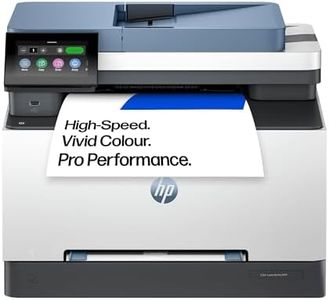
Related Products
Up to 21% off
Our Top Picks
Winner
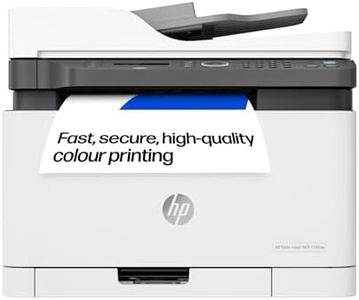
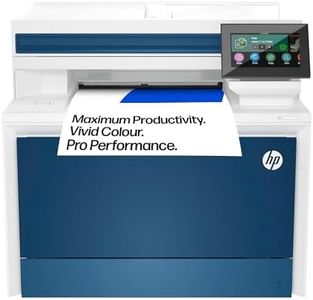
HP LaserJet Pro MFP 3302fdw Laser Printer | Colour | Printer for Small Medium Business | Print, Scan, Copy, Fax | Automatic document feeder | 2-Sided Printing | Wireless | Front USB port | Touchscreen
The HP LaserJet Pro MFP 3302fdw is a solid choice for small to medium businesses needing a versatile colour laser printer that can print, scan, copy, and fax all in one device. It offers a decent print speed of up to 25 pages per minute for both black and colour, which is good for moderate office workloads. The print quality maxes out at 600 x 600 dpi, providing clear and sharp prints suitable for most business documents, though it might not match photo-quality printers. Connectivity is flexible, including wireless options, Ethernet, and a front USB port, making it easy to print from smartphones, tablets, or computers. Its automatic document feeder and two-sided printing and scanning help save time and paper, which is handy for handling multi-page documents efficiently.
The printer supports various media types like card stock, envelopes, and labels, adding to its versatility. The touchscreen interface simplifies navigation, but the printer's physical size is quite large and may require ample desk space. While it lacks very high-resolution output, this model balances performance and features for business environments needing reliable, multifunction printing without specialized photo print needs.
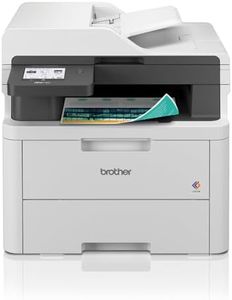
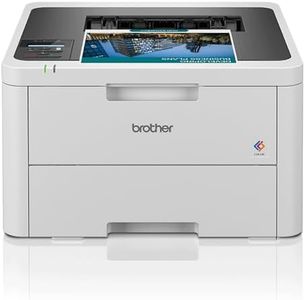
Brother DCP-L3520CDW 3-in-1 Colour Wireless LED Printer
The Brother DCP-L3520CDW is a versatile 3-in-1 colour laser printer that handles printing, copying, and scanning with ease. It delivers a reasonable print speed of up to 18 pages per minute in both colour and black-and-white, which is suitable for light to moderate office use. Print quality is sharp, with a maximum resolution of 2400 x 600 dpi, ensuring clear text and vibrant colours for everyday documents.
Connectivity options are solid, offering USB 2.0, Gigabit Ethernet, and 5GHz Wi-Fi for flexible wired and wireless printing from multiple devices within the same network. Paper handling is convenient with a 250-sheet tray and automatic duplex (double-sided) printing, saving both time and paper. The printer uses genuine Brother toner cartridges, including an in-box set yielding 1,000 pages and higher yield options reaching up to 3,000 pages for colour, which helps keep running costs reasonable but not the cheapest on the market. Additional features like a 2-line LCD control panel and internal memory enhance user control and job management.
The printer is somewhat bulky at over 18 kg and may take up considerable desk space. It also lacks advanced touchscreen controls which some competitors offer. While it is not the fastest or most economical colour laser printer available, the DCP-L3520CDW remains a dependable choice for home offices or small businesses needing a straightforward, all-in-one device with solid connectivity and good print quality.
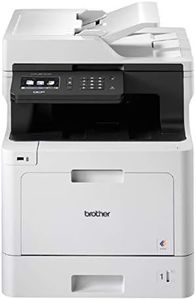
Brother DCP-L8410CDW Colour Laser Printer, Wireless, PC Connected & Network, Print, Copy, Scan & 2 Sided Printing, A4, UK Plug
The Brother DCP-L8410CDW is a solid choice for small to medium office environments needing a reliable colour laser printer that also scans and copies. It offers fast printing speeds of up to 31 pages per minute for both colour and black-and-white, which helps keep busy workdays moving smoothly. Print quality is sharp at 1200 dpi, suitable for professional documents, posters, and watermarked pages. Its wireless connectivity allows multiple users to print easily without cables, plus USB and network options provide extra flexibility.
Paper handling is convenient with a 300-sheet capacity, which can be expanded up to 1050 sheets with optional trays, meaning less frequent refills. One of the big advantages is the low running cost, thanks to high-yield toner cartridges that help reduce cost per page, making it economical for heavy printing needs. The device is relatively compact and desktop-friendly, although it weighs almost 28 kg, so it's best placed on a sturdy surface. Features like automatic double-sided printing and scanning speed of 56 images per minute add efficiency.
A potential drawback is the printer's relatively high power consumption at 580 watts, which might impact energy bills compared to more modern, energy-efficient models. Supporting Windows, Mac, and Linux operating systems, this Brother model is a straightforward, versatile colour laser printer that offers good speed and decent running costs for office use.