We Use CookiesWe use cookies to enhance the security, performance, functionality and for analytical and promotional activities. By continuing to browse this site you are agreeing to our privacy policy

10 Best Chromebooks For Kids

From leading brands and best sellers available on the web.
By clicking on a link to a third party's website, log data is shared with that third party.

Our Top Picks

#1

Winner

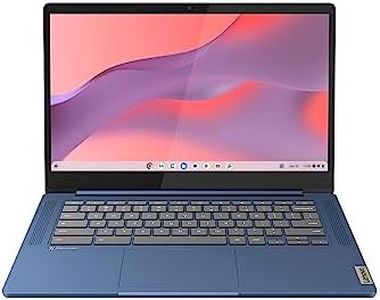
Lenovo IdeaPad Slim 3 Chromebook | 14 Inch FHD Laptop | MediaTek Kompanio 520 | 4GB RAM | 64GB eMMC | Chrome OS | Abyss Blue

10.0  score

Available on
£179.99
View Product
View more options
Rating
10.0
Chosen by1,179
Screen Size
Battery Life
Performance
Screen Size
While the screen could be brighter, the Chromebook excels in portability and ease of use.
Battery Life
Its lightweight design and impressive battery life make it ideal for carrying around with books.
Performance
Performance is adequate for essential tasks, though not for demanding applications or AAA games.

The Lenovo IdeaPad Slim 3 Chromebook is a solid choice for kids. With its thin and lightweight design, it’s easy for children to carry around. At 1.3 kg, it won’t be too heavy for younger users. The Chromebook is made without moving parts, which enhances its durability—a key feature for kids who might be rough with their devices. The 14-inch Full HD display is large enough for educational content and watching videos, though the TN panel might not offer the best viewing angles.

It has a reliable battery life of up to 13.5 hours, ensuring it lasts through a full school day and beyond. The MediaTek Kompanio 520 processor, paired with 4GB RAM, is adequate for basic tasks like browsing the web and running educational apps, though it might struggle with more demanding applications. The 64GB eMMC storage is sufficient for schoolwork and some media, but it’s not expansive. Parental controls are facilitated via Chrome OS, providing a safe browsing environment.

Connectivity is robust with WiFi 6 and Bluetooth, ensuring fast internet access and device pairing. It includes USB 3.2 and USB-C ports, a microSD card reader, and a headphone jack, making it versatile for various peripherals. Privacy features like the camera shutter and mute mic key are great for parents concerned about security. While this Chromebook offers many strengths suitable for kids, the relatively modest performance and storage capacity might limit advanced usage. The Lenovo IdeaPad Slim 3 is a dependable option for children's everyday computing needs.

Rating
10.0
Chosen by1,179
Screen Size
Battery Life
Performance
Screen Size
While the screen could be brighter, the Chromebook excels in portability and ease of use.
Battery Life
Its lightweight design and impressive battery life make it ideal for carrying around with books.
Performance
Performance is adequate for essential tasks, though not for demanding applications or AAA games.
#2

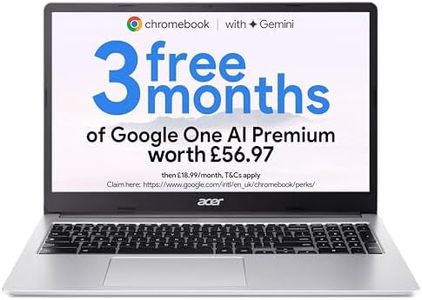
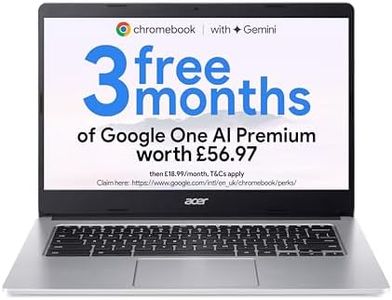
Acer Chromebook 315 CB315-4H Laptop - Intel Celeron N4500, 8GB, 128GB eMMC, Integrated Graphics, 15.6" Full HD, Chrome OS, Silver

9.7  score

Available on
£167.69
View Product
View more options
Rating
9.7
Durability
Screen Size
Battery Life
Durability
Durability holds up well under everyday teenage use, handling school tasks and streaming without issues.
Screen Size
The screen quality stands out as a strong point, delivering a good viewing experience for both schoolwork and entertainment.
Battery Life
Battery life is solid, supporting extended use throughout the day with only minor room for improvement.
Performance
Performance is smooth for basic tasks like browsing and streaming, though it may not suit intensive office workloads.
Connectivity
Its SD card slot and multiple USB ports enhance connectivity options, making it versatile for various tasks.

The Acer Chromebook 315 offers a large 15.6-inch Full HD screen, which is great for kids who enjoy watching videos or need extra space for multitasking schoolwork. Its 8GB of RAM and Intel Celeron processor provide smooth performance for everyday tasks like web browsing, streaming, and educational apps. With 128GB of storage, there's ample room for apps and files, which is generous compared to many other Chromebooks aimed at children. The full-size keyboard with a numeric keypad is a nice touch for comfort during longer typing sessions.

Connectivity is solid, featuring fast Wi-Fi (802.11ax), Bluetooth, and multiple USB ports including USB-C, which can also connect to an external monitor—useful for home setups. However, the device weighs around 2.74 kg (about 6 pounds), which might be a bit heavy for younger kids to carry daily. While the laptop offers reliable performance, the Intel Celeron N4500 is an entry-level processor, so it might not handle very demanding apps or multitasking beyond basics.

This Chromebook is a good choice for older kids or teens who want a larger screen and decent performance for school and entertainment, but parents of younger children might want to consider lighter or more rugged options.

Rating
9.7
Durability
Screen Size
Battery Life
Durability
Durability holds up well under everyday teenage use, handling school tasks and streaming without issues.
Screen Size
The screen quality stands out as a strong point, delivering a good viewing experience for both schoolwork and entertainment.
Battery Life
Battery life is solid, supporting extended use throughout the day with only minor room for improvement.
Performance
Performance is smooth for basic tasks like browsing and streaming, though it may not suit intensive office workloads.
Connectivity
Its SD card slot and multiple USB ports enhance connectivity options, making it versatile for various tasks.
#3

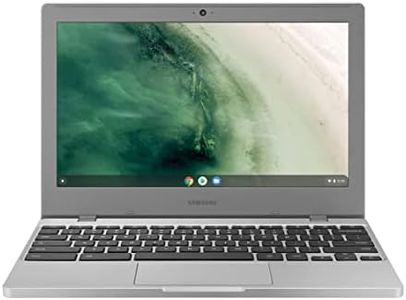
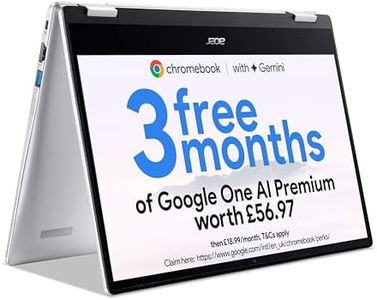
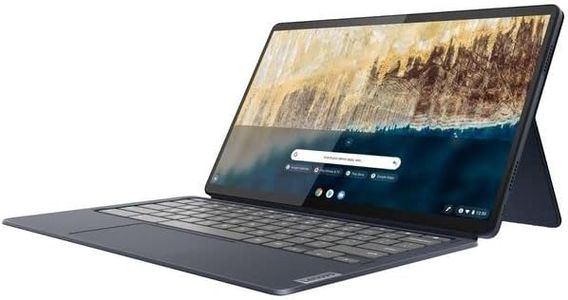
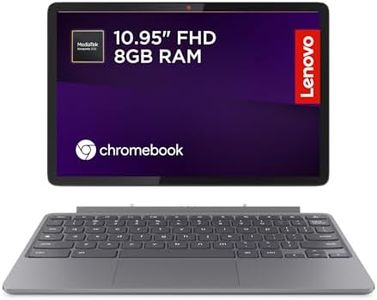
Lenovo IdeaPad Chromebook Duet | 11 Inch FHD+ 1200p Laptop | MediaTek Kompanio 838 | 8GB RAM | 128GB eMMC | Chrome OS | Luna Grey USI Pen 2 | Folio Stand + Folio Keyboard

9.4  score

Available on
£223
View Product
View more options
Rating
9.4
Durability
Durability
The stylus pen stays firmly in place, adding to its practicality.

The Lenovo IdeaPad Chromebook Duet is a compact, lightweight option that could be ideal for kids. With an 11-inch Full HD screen, it offers a good balance between portability and usability. Its spill-proof chassis adds an extra layer of durability, making it well-suited to withstand minor accidents that children might have. The battery life is impressive, offering up to 12 hours of use, which is ample for a day of learning and play without needing frequent recharges. Powered by the MediaTek Kompanio 838 processor and 8GB of RAM, it delivers satisfactory performance for educational apps, web browsing, and moderate multitasking. However, it might struggle with more demanding tasks or games. The integrated graphics card is adequate for standard activities but not for advanced gaming or graphic-intensive applications.

The Chromebook also excels in connectivity options with Wi-Fi 6 and Bluetooth, ensuring fast and stable internet access. The inclusion of the Lenovo USI Pen 2 and the Folio Stand with Keyboard can foster creativity and improve productivity, making it versatile for both learning and creative tasks. Parental controls are managed through Chrome OS, allowing parents to monitor and limit their child's online activities effectively. One potential drawback is the screen size, which might be small for older kids or those needing extensive multitasking. Also, the lack of dedicated software updates might be a concern for long-term usability.

The Lenovo IdeaPad Chromebook Duet is a solid choice for young learners seeking a balance of performance, durability, and creative features.

Rating
9.4
Durability
Durability
The stylus pen stays firmly in place, adding to its practicality.

Buying Guide for the Best Chromebooks For Kids

When choosing a Chromebook for kids, it's important to consider factors that will ensure the device is both suitable for educational purposes and durable enough to withstand everyday use by children. Chromebooks are known for their simplicity, security, and affordability, making them a great choice for kids. Focus on features that enhance usability, safety, and performance to ensure the Chromebook meets your child's needs for schoolwork, entertainment, and learning.
DurabilityDurability is crucial when selecting a Chromebook for kids because children can be rough on their devices. Look for models with rugged designs, spill-resistant keyboards, and reinforced corners. These features help protect the Chromebook from accidental drops and spills, which are common with younger users. If your child is particularly active or prone to accidents, prioritize models that are specifically marketed as 'kid-proof' or 'rugged'.
Screen SizeScreen size affects both portability and usability. Chromebooks for kids typically range from 11 to 14 inches. Smaller screens (11-12 inches) are more portable and easier for small hands to handle, making them ideal for younger children or those who will be carrying the device to school. Larger screens (13-14 inches) provide more space for multitasking and can be better for older kids who need to work on more complex assignments or enjoy media consumption.
Battery LifeBattery life is important to ensure the Chromebook can last through a school day without needing a recharge. Look for models that offer at least 8-10 hours of battery life. This is especially important if the Chromebook will be used for both schoolwork and entertainment. Consider your child's daily routine and choose a Chromebook with a battery life that aligns with their usage patterns, ensuring they won't be left without power during important tasks.
PerformancePerformance in a Chromebook is determined by its processor, RAM, and storage. For kids, a basic processor and 4GB of RAM are usually sufficient for web browsing, streaming, and using educational apps. If your child will be using more demanding applications or multitasking frequently, consider a model with 8GB of RAM. Storage is less critical due to cloud-based storage options, but 32GB to 64GB of internal storage is a good range to aim for, allowing for offline use and app installations.
Parental ControlsParental controls are essential for ensuring a safe online experience for kids. Chromebooks offer built-in parental controls through Google Family Link, which allows parents to manage app usage, set screen time limits, and monitor activity. When choosing a Chromebook, ensure it supports these features and consider how easy they are to set up and use. This will help you maintain a safe and controlled digital environment for your child.
ConnectivityConnectivity options like Wi-Fi and Bluetooth are important for accessing online resources and connecting peripherals. Ensure the Chromebook supports the latest Wi-Fi standards for faster and more reliable internet connections. Bluetooth is useful for connecting wireless headphones or other devices. Consider your child's needs for connectivity, especially if they will be using the Chromebook for online classes or streaming content.