10 Best Budget Printers
From leading brands and best sellers available on the web.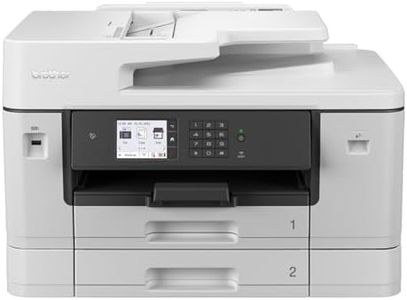
Related Products
Up to 20% off

Recommended lists


Our Top Picks
Winner
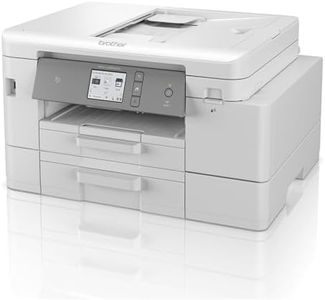
BROTHER MFC-J6940DW Wireless Colour Inkjet Printer, A3 3-1 (Print/Copy/Scan), Wi-Fi/USB/NFC, A4, 500 sheets, UK Plug
The BROTHER MFC-J6940DW is a versatile budget-friendly printer that stands out with its ability to handle A3 size prints, which is a great feature for small businesses or home offices that occasionally need larger printouts. Its inkjet technology ensures decent print quality, both in color and monochrome, with a competitive print speed of up to 28 pages per minute. This speed is particularly impressive for a printer in its price range.
One of its key strengths is the variety of connectivity options available. It supports Wi-Fi, USB, and NFC, giving users the flexibility to print from different devices, including smartphones via the Brother Mobile Connect app. This makes it convenient for users who are often on the go or need to print from multiple devices.
The printer also boasts a substantial paper capacity with a 500-sheet input tray, which reduces the frequency of paper refills, enhancing productivity in environments with moderate printing needs. Additionally, the 8.8 cm color LCD touchscreen simplifies navigation and operation. However, potential buyers should be aware of certain drawbacks. Despite being marketed as a budget option, operating costs could add up due to the need for genuine Brother ink supplies, which may be pricier than third-party options. This could be a consideration for users with high-volume printing demands. Another point to consider is its size and weight. At 23.4 kilograms, it may not be suited for those with limited space or who need a more portable solution.
In summary, the BROTHER MFC-J6940DW is a solid choice for those needing versatility in print size and robust connectivity features, though users should be mindful of ongoing ink costs and physical space requirements.
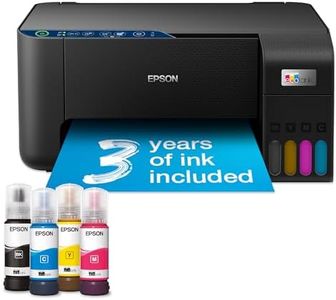
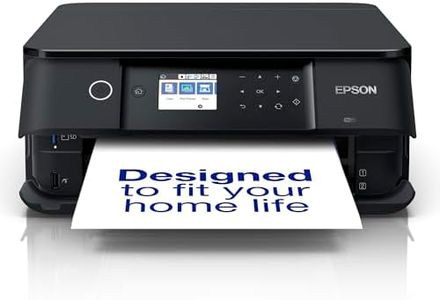
Epson EcoTank ET-2861 A4 Multifunction Wi-Fi Ink Tank Printer, With Up To 3 Years Of Ink Included , Black
The Epson EcoTank ET-2861 is a multifunction Wi-Fi ink tank printer designed for budget-conscious users. Its standout feature is the inclusion of up to 3 years' worth of ink, which significantly reduces the need for frequent refills and lowers operating costs. With refillable ink tanks and high-yield ink bottles, users can save up to 90% on printing costs compared to traditional cartridge-based printers, making it an excellent choice for frequent printers looking to save on expenses in the long run.
The printer supports mobile printing and can connect via Wi-Fi, allowing for convenient remote printing, copying, and scanning through the Epson Smart Panel app. This adds convenience for users who prefer managing their printing tasks from their smartphones or tablets. In terms of performance, the ET-2861 offers a print speed of up to 33 pages per minute (ppm) for monochrome prints and 15 ppm for color prints. While these speeds are reasonable for home and small office use, they might not be sufficient for high-volume printing environments.
The print quality is commendable, with a maximum resolution of 5,760 x 1,440 DPI, ensuring sharp and vibrant prints. Another beneficial feature is borderless printing, which is great for producing professional-looking photos and brochures. However, the maximum input sheet capacity of 100 sheets means it may require frequent paper refills for extensive printing tasks. The printer’s compact size and lightweight design (3.9 kg) make it easy to fit into small spaces. A downside is the lack of guaranteed software updates, which could be a potential issue for long-term compatibility with newer operating systems. While the printer's power consumption (12 watts) is relatively low, users should still consider their energy usage. The Epson EcoTank ET-2861 is a cost-effective, feature-rich printer suitable for individuals and small businesses looking to reduce their printing expenses without compromising on quality and convenience.
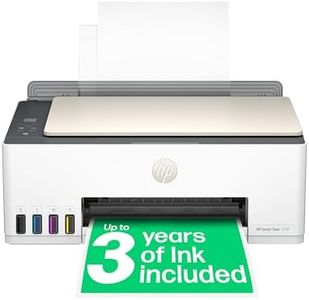
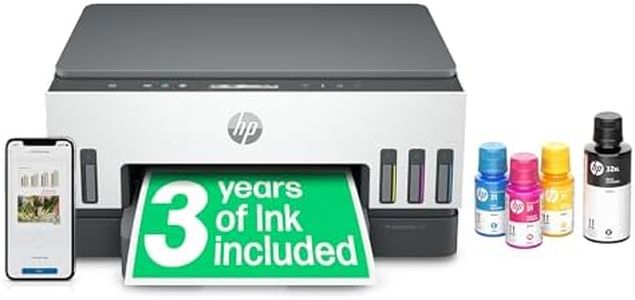
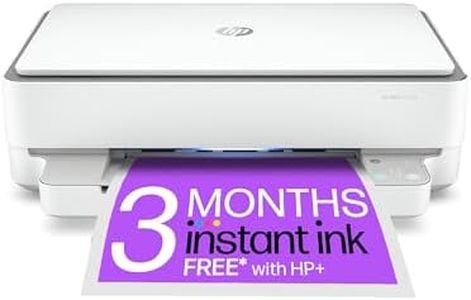
HP Smart Tank 5107 All in One Printer | Perfect for Home | Colour | Wireless | Print, Scan, Copy | Refillable | Includes up to 3 Years of Ink | Smart Buttons | Easy Setup | Reliable Wi-Fi
The HP Smart Tank 5107 is a versatile and cost-effective printer designed for home use. Its inkjet print technology provides good quality colour graphics and sharp text, making it suitable for everyday printing needs. The printer is capable of printing at speeds up to 12 pages per minute (ppm) for black-and-white documents and 5 ppm for colour, which is reasonable for home use but may not be ideal for high-demand environments.
One of its standout features is the high-volume refillable ink tank system, which includes up to 3 years of ink and can print up to 8,000 colour pages and 12,000 black pages. This greatly reduces operating costs over time and makes it perfect for users looking for low-cost, high-volume printing options. The refill process is designed to be simple and spill-free, enhancing user convenience. The HP Smart Tank 5107 offers wireless connectivity options, including Wi-Fi and USB, and supports mobile printing from phones and tablets, making it easy to print documents from various devices.
It also includes essential security features like basic encryption and password protection to safeguard your data. Additional functionalities include scanning and copying, with a flatbed scanner and a maximum copy speed of 12 ppm for black-and-white documents. The smart-guided buttons and easy setup process further enhance its user-friendly design. However, the printer lacks an automatic document feeder and dual-sided printing, which might inconvenience users who frequently need to scan or print double-sided documents. Despite these limitations, its combination of low operating costs, good print quality, and ease of use make it a solid choice for home users.